Best Computer Speakers Under $200
The best desktop speakers under $200 for music, gaming, and work. We tested bookshelf speakers, soundbars, and powered monitors to find the best value.
Laptop speakers are bad. Even the best ones. If you sit at a desk for any meaningful amount of time, a pair of decent speakers transforms the experience — music sounds like music, game audio has actual depth, and video calls stop sounding like you're talking through a tin can.
The under-$200 bracket has some legitimately impressive options. I set up five speaker systems on the same desk, played the same playlist through each, and rated them on sound quality, build, and desk footprint.
Quick comparison
| Speakers | Type | Driver Size | Connectivity | Price |
|---|---|---|---|---|
| Audioengine A2+ | Powered bookshelf | 2.75" | USB, Bluetooth, 3.5mm | $270 |
| Edifier MR4 | Studio monitor | 4" | TRS, RCA, 3.5mm | $130 |
| Creative Pebble X Plus | Desktop 2.1 | 2.5" + 4" sub | USB-C, Bluetooth | $80 |
| Mackie CR3-X | Studio monitor | 3" | TRS, RCA, 3.5mm | $100 |
| Razer Nommo V2 X | Gaming 2.0 | 3" | USB, Bluetooth 5.3 | $100 |
Audioengine A2+
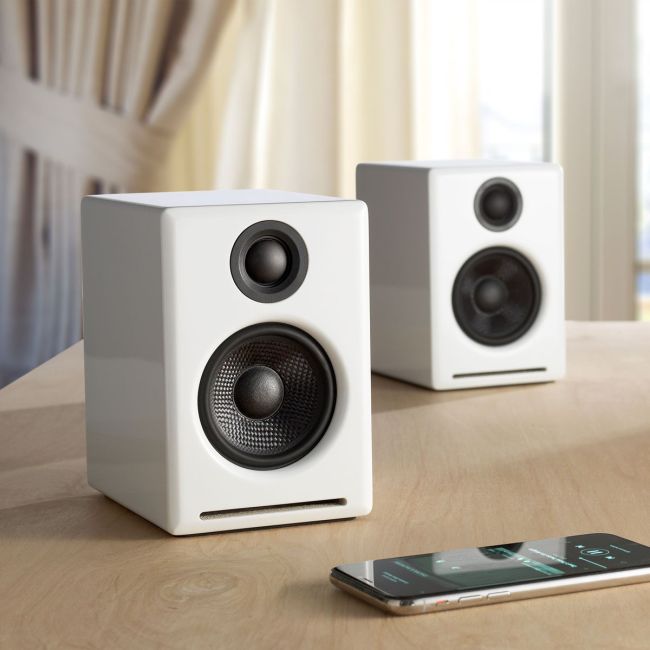
Audioengine A2+ Wireless
Pros
- Best overall sound quality in this class
- Rich, detailed audio with surprising bass for the size
- Built-in USB DAC
- Bluetooth aptX for wireless
- Beautiful build quality — available in multiple finishes
Cons
- $270 stretches the 'under $200' category
- Small drivers can't fill a large room
- No subwoofer output
- Power button is on the back
I'm cheating slightly — the A2+ is $270, which technically exceeds the $200 threshold. But it's close enough and sounds good enough that leaving it off the list would be a disservice. These tiny speakers produce audio that sounds far more expensive than they are. Vocals are clear, the mid-range is warm and detailed, and there's enough bass to satisfy casual listening without a subwoofer.
The built-in USB DAC means you bypass your laptop's mediocre audio hardware entirely. Plug in via USB and you're getting cleaner sound than any 3.5mm connection.
Edifier MR4
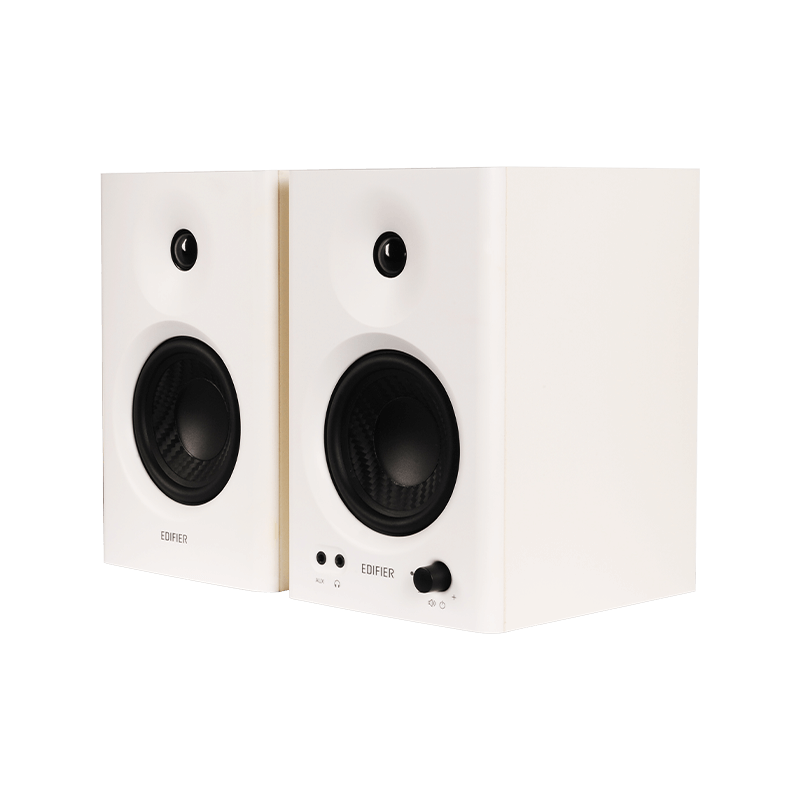
Edifier MR4 Studio Monitor Speakers
Pros
- Flat, accurate sound for the price
- 4-inch drivers provide solid mid-range
- TRS and RCA inputs for flexibility
- Front-facing bass port doesn't require rear clearance
- Great for music production at this level
Cons
- No Bluetooth
- Bass is present but won't shake anything
- Treble can be slightly harsh at high volumes
- Generic design
The Edifier MR4 at $130 is the speaker I recommend most often. The sound is accurate rather than hyped — flat frequency response that doesn't artificially boost bass or treble. Music sounds like the artist intended. If you're doing any audio work (podcasting, music production, mixing) at a budget level, these are the entry point.
The 4-inch drivers give it a mid-range presence that smaller speakers can't match. Guitar, piano, and vocals sound full and present. Bass is there but controlled — don't expect floor-shaking low end without a sub.
Creative Pebble X Plus
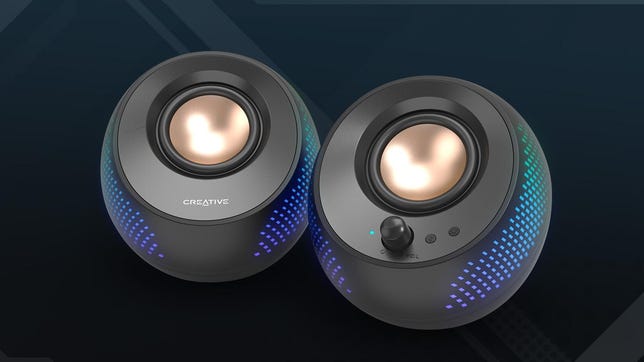
Creative Pebble X Plus
Pros
- $80 for a 2.1 system with subwoofer
- USB-C powered — no wall adapter needed
- Bluetooth 5.3
- Small satellite speakers save desk space
- Subwoofer adds genuine low-end
Cons
- Satellite speakers sound thin without the sub
- Sub cable is short
- USB power limits maximum volume
- Not great for critical listening
An $80 system with a dedicated subwoofer. The satellite speakers are small pebble-shaped units that barely take up desk space, while the downward-firing sub sits under your desk and handles the bass. Together, the system sounds surprisingly full for the price.
USB-C power means one cable to your laptop handles both audio and power — no separate wall adapter. Bluetooth 5.3 gives you wireless connectivity if you want to stream from your phone. At $80, the value is hard to beat.
Mackie CR3-X
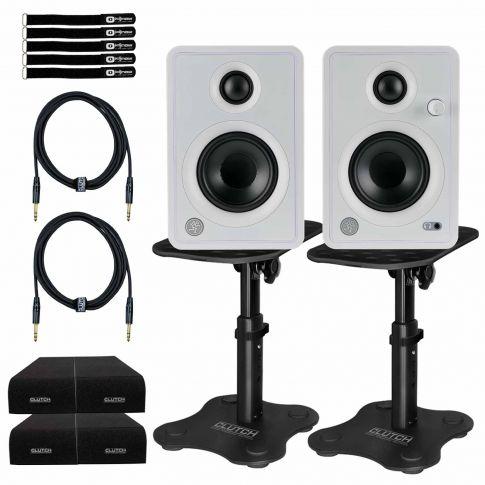
Mackie CR3-X Creative Reference Monitors
Pros
- Mackie's pro audio heritage at a consumer price
- Good detail in vocals and mid-range
- Front-panel headphone jack and volume knob
- Compact — 3-inch drivers fit small desks
- All-wood enclosures reduce resonance
Cons
- 3-inch drivers limit bass response
- No Bluetooth
- Can sound boxy in the low-mids
- Power cable and speaker cable are short
Mackie makes professional studio monitors that cost thousands. The CR3-X applies that expertise to a $100 consumer product. The result is clean, articulate sound with good detail in the vocal range. They're not exciting — no boosted bass, no sparkly treble — but they're honest.
The front-panel headphone jack and volume knob are practical touches. Quick volume adjustment without reaching behind the speaker, and easy headphone switching when you need privacy.
Razer Nommo V2 X

Razer Nommo V2 X
Pros
- THX Spatial Audio for gaming
- Razer Chroma RGB lighting
- USB and Bluetooth connectivity
- Mobile app with EQ presets
- Designed specifically for gaming desks
Cons
- Sound quality trails the Edifier and Mackie for music
- Bass is boosted — not flat or neutral
- Chroma integration requires Razer Synapse
- Overpriced for pure audio quality
The Nommo V2 X is the gaming option. THX Spatial Audio processes game audio to create a wider soundstage — you can hear footsteps and environmental cues with more directional accuracy than stereo speakers normally provide. Whether this actually helps in competitive games is debatable, but it does sound cool.
Bass is deliberately boosted for that cinematic game audio feel. Explosions thump, engines rumble, and soundtrack bass hits hard. For music, the tuning is less ideal — bass-heavy tracks can sound muddy. The Razer Synapse EQ helps but doesn't fully compensate.
What I'd pick
Music and general use: Edifier MR4 ($130) — best sound per dollar. Budget with bass: Creative Pebble X Plus ($80) — hard to beat the value of a 2.1 system at this price. Gaming: Razer Nommo V2 X ($100) — spatial audio and tuning designed for games.
As an Amazon Associate, we earn from qualifying purchases. This doesn't affect our recommendations or editorial independence.