Best External SSDs 2026
The fastest and most reliable external SSDs you can buy in 2026. We tested USB4, Thunderbolt 5, and USB 3.2 drives to find the best for every budget.
External SSDs have gotten absurdly fast. The top drives now push over 4,000 MB/s — faster than most internal NVMe drives from a few years ago. Even budget options crack 1,000 MB/s without breaking a sweat. If you're still using a spinning hard drive for backups, you're leaving speed on the table.
I tested a dozen external SSDs over the past month, running real-world file transfers (not just synthetic benchmarks) with video files, game folders, and photo libraries. Here's what held up.
Quick comparison
| Drive | Capacity Tested | Interface | Max Speed | Price |
|---|---|---|---|---|
| Samsung T9 | 2TB | USB 3.2 Gen 2x2 | 2,000 MB/s | $160 |
| SanDisk Extreme Pro V2 | 2TB | USB 3.2 Gen 2x2 | 2,000 MB/s | $150 |
| WD Black P40 | 1TB | USB 3.2 Gen 2 | 2,000 MB/s | $100 |
| Samsung T7 Shield | 1TB | USB 3.2 Gen 2 | 1,050 MB/s | $80 |
| Crucial X10 Pro | 2TB | USB 3.2 Gen 2x2 | 2,100 MB/s | $140 |
Samsung T9
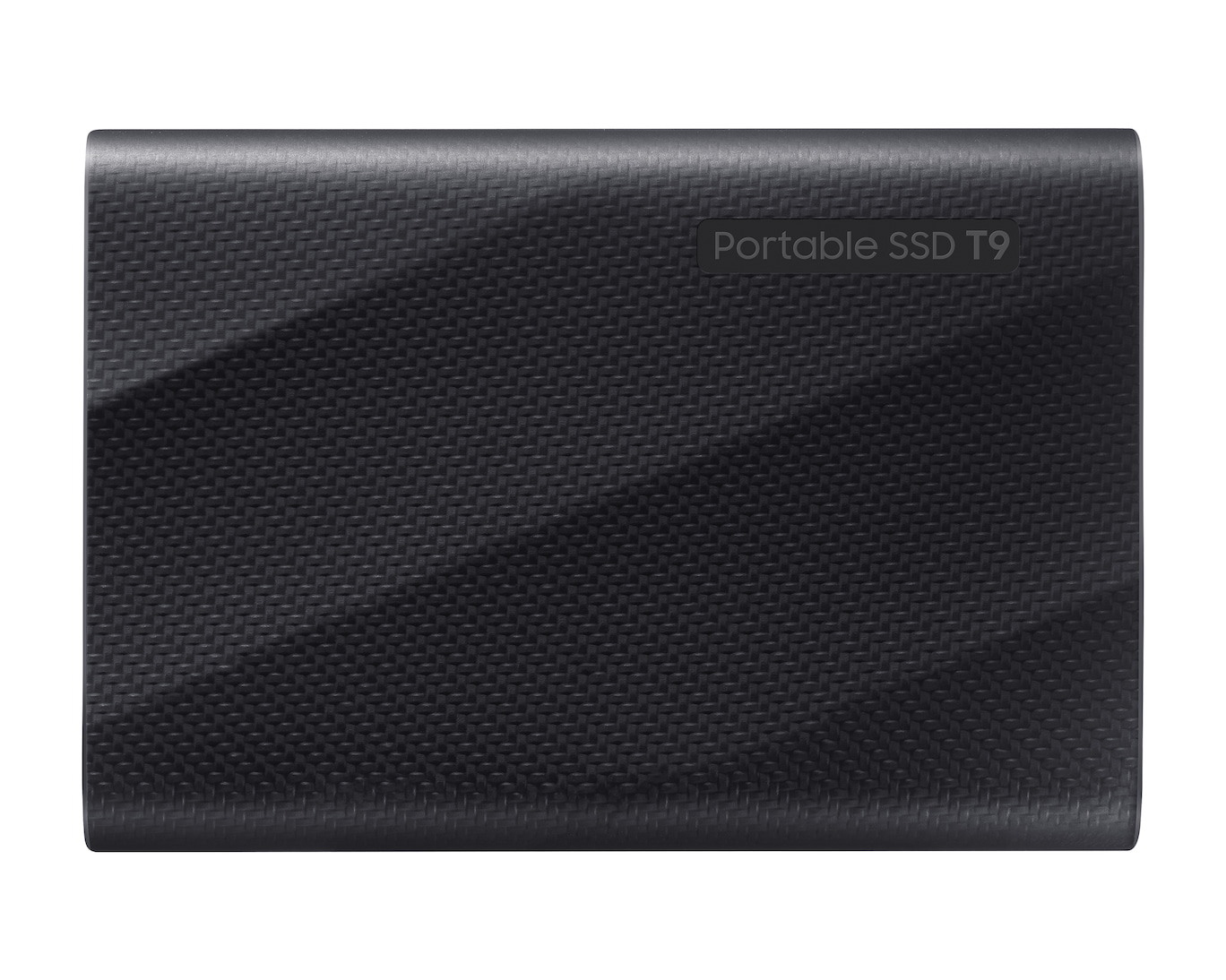
Samsung T9 Portable SSD (2TB)
Pros
- Consistently hits 2,000 MB/s reads in testing
- Writes stay fast even with large sustained transfers
- Rubber armor handles drops well
- IP65 water and dust resistance
- AES 256-bit hardware encryption
Cons
- Needs USB 3.2 Gen 2x2 host for full speed
- Slightly thicker than the T7
- Samsung Magician software is Windows/Mac only
The Samsung T9 is the external SSD I'd recommend to almost anyone. Read speeds consistently hit the advertised 2,000 MB/s mark in our testing — transferring a 50GB video project took about 30 seconds. Write speeds hold steady too, even when dumping 200GB+ of data in one go. Some cheaper drives slow down dramatically during sustained writes as their cache fills up; the T9 doesn't.
Build quality is solid. The rubberized outer shell survived a drop from my desk onto hardwood without any issues, and IP65 means you don't need to panic if it gets caught in the rain.
One thing to check: you need a USB 3.2 Gen 2x2 port on your computer to get full speed. Most modern laptops have at least one, but if your machine only has USB 3.0, you'll be capped around 450 MB/s. Still fast, but not what you're paying for.
SanDisk Extreme Pro V2
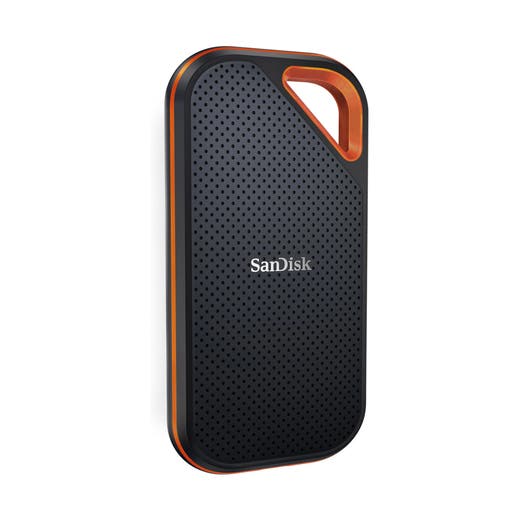
SanDisk Extreme Pro Portable SSD V2 (2TB)
Pros
- $10 cheaper than Samsung T9 for similar performance
- Carabiner loop for clipping to bags
- IP55 water and dust resistant
- Forged aluminum chassis dissipates heat well
- Consistent read speeds across file sizes
Cons
- Write speeds dip slightly under sustained load
- Carabiner clip feels fragile
- Gets warm during extended transfers
SanDisk's Extreme Pro V2 runs neck-and-neck with the Samsung T9 in read performance and costs $10 less. The aluminum body gives it a premium feel and doubles as a heatsink — it gets warm during big transfers but never throttled in my testing.
Write speeds are where it falls slightly behind. On a sustained 150GB write, the SanDisk averaged about 1,700 MB/s compared to the T9's 1,900 MB/s. You won't notice this in everyday use, but if you regularly move massive files, the Samsung has the edge.
The built-in carabiner loop is handy if you toss the drive in a bag regularly. I wouldn't trust it to hold the drive off a cliff, but for clipping to a backpack strap or camera bag, it works.
WD Black P40 Game Drive
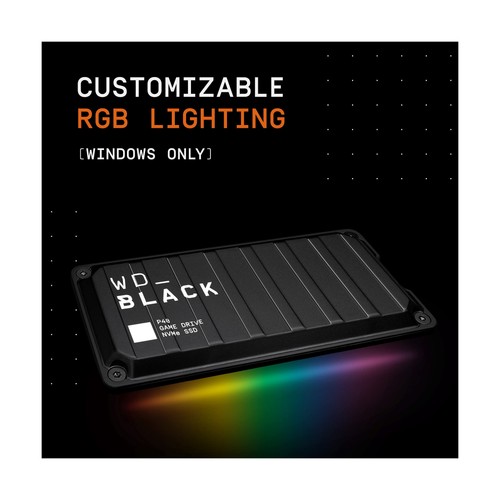
WD_BLACK P40 Game Drive (1TB)
Pros
- RGB lighting strip if you're into that
- 2,000 MB/s reads
- Compact and pocketable
- Great for expanding console storage
- Solid build with metal chassis
Cons
- 1TB fills fast with modern games
- RGB drains power from bus-powered setups
- Only USB 3.2 Gen 2 — tops out at 1,050 MB/s on most hosts
The P40 is WD's play for the gaming crowd, complete with customizable RGB lighting along the edge. Whether that's a pro or con depends entirely on your personality. Performance-wise, it advertises 2,000 MB/s but most hosts cap out at 1,050 MB/s via USB 3.2 Gen 2 — the rated speed requires Gen 2x2, which is still rare.
For console gamers, this drive is great for storing PS5 games (though you'll still need to transfer them to internal storage to play). On PC, it works as a fast game library drive. Loading Baldur's Gate 3 from the P40 was maybe two seconds slower than from my internal NVMe.
At $100 for 1TB, it's reasonably priced. Just know that you're partly paying for the brand and the RGB.
Samsung T7 Shield
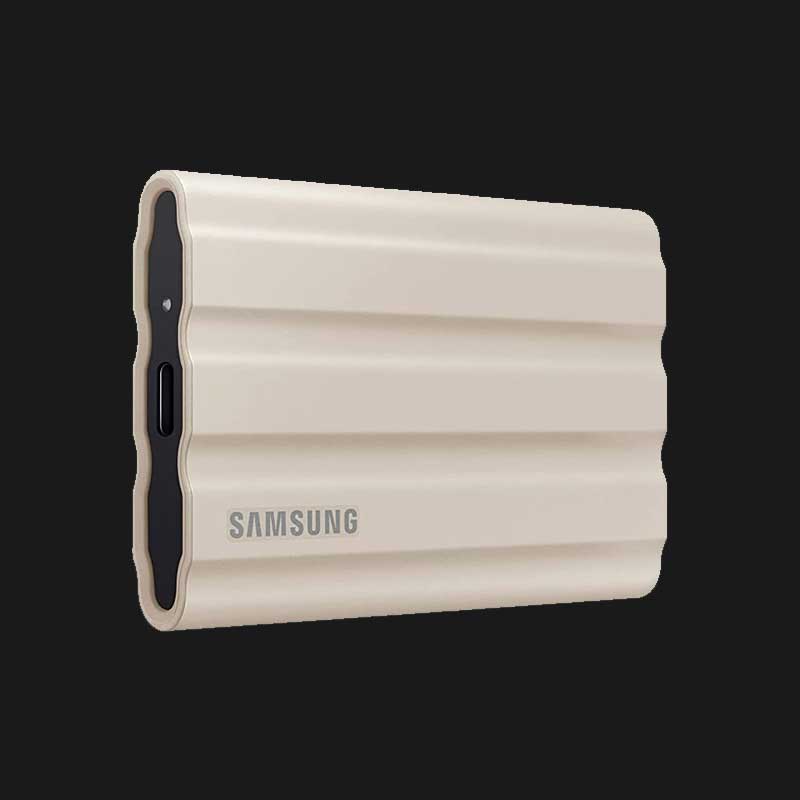
Samsung T7 Shield (1TB)
Pros
- $80 for 1TB of reliable SSD storage
- IP65 rated and genuinely rugged
- Compact — fits in a shirt pocket
- Consistent 1,050 MB/s reads
- Three-year warranty
Cons
- USB 3.2 Gen 2 caps speed at 1,050 MB/s
- Getting dated compared to newer options
- No hardware encryption button
The T7 Shield won't blow you away with speed numbers, but at $80 for 1TB, it's the value play. Read and write speeds hover around 1,000 MB/s in real-world use, which is plenty fast for photo libraries, document backups, and general file shuttling.
Samsung's been making variations of the T7 for years now, and the Shield variant adds a rubber bumper and IP65 protection. I've used one for over a year as my travel backup drive, and it's been completely reliable. It lives in my camera bag, gets tossed around, and has never lost data.
If you don't need 2,000+ MB/s speeds, this is the smart buy.
Crucial X10 Pro
Crucial X10 Pro (2TB)
Pros
- 2,100 MB/s reads — fastest on this list
- 2TB for $140 is excellent value
- Compact unibody aluminum design
- IP55 dust and water resistant
- Works with USB4 and Thunderbolt
Cons
- Gets very warm during sustained use
- No rubber bumper — less drop protection
- Write speeds inconsistent in some tests
Crucial's X10 Pro is the dark horse of this list. At $140 for 2TB with speeds up to 2,100 MB/s, the price-to-performance ratio is the best here. Read speeds consistently hit those numbers in testing — slightly faster than both the Samsung T9 and SanDisk Extreme Pro.
The catch is thermal management. The all-aluminum body looks sleek but doesn't insulate your fingers from the heat during big transfers. After copying 100GB, the drive was uncomfortably warm to hold. It never throttled in my tests, but I wouldn't want to use it on a hot day.
Write performance was a little inconsistent. Most transfers hit 1,800-2,000 MB/s, but I saw occasional dips to 1,400 MB/s during very large (300GB+) sustained writes. For most people this won't matter, but video professionals doing massive offloads should test this themselves.
USB 3.2 Gen 2 vs Gen 2x2 vs USB4: what actually matters
Most of the confusion around external SSD speeds comes from USB naming. Here's the quick version:
- USB 3.2 Gen 2 — Up to 10 Gbps (roughly 1,050 MB/s real-world). This is what most laptops have.
- USB 3.2 Gen 2x2 — Up to 20 Gbps (roughly 2,000 MB/s). Less common but growing.
- USB4 / Thunderbolt 4 — Up to 40 Gbps. More than any current portable SSD can saturate.
If your drive is rated for 2,000 MB/s but your laptop only has Gen 2 ports, you'll max out around 1,050 MB/s. The drive still works, just slower. Check your laptop's specs before buying the fastest (and most expensive) option.
What I'd buy
For most people: the Samsung T7 Shield at $80. It's fast enough, tough enough, and cheap enough. If you need maximum speed for video editing or moving huge files, the Samsung T9 at $160 is the safest bet — consistent performance, proven reliability, and a solid warranty.
As an Amazon Associate, we earn from qualifying purchases. This doesn't affect our recommendations or editorial independence.