Best Mesh WiFi Systems 2026
The best mesh WiFi systems for large homes in 2026. We tested WiFi 7 and WiFi 6E mesh systems from eero, TP-Link, Netgear, and ASUS for coverage and speed.
My house is 2,800 square feet across two floors, and a single router doesn't cut it. Dead zones in the guest bedroom, buffering in the backyard, dropped video calls in the basement office. A mesh system fixed all of it, but not every mesh system performed equally. I tested five systems by placing nodes in the same locations and running speed tests in eight spots throughout the house.
Quick comparison
| System | WiFi Standard | Coverage | Max Speed | Price (3-pack) |
|---|---|---|---|---|
| eero Pro 6E | WiFi 6E | 6,000 sq ft | 2.3 Gbps | $400 |
| TP-Link Deco BE65 Pro | WiFi 7 | 6,500 sq ft | 9.4 Gbps | $350 |
| Netgear Orbi 970 Series | WiFi 7 | 10,000 sq ft | 27 Gbps | $1,500 |
| ASUS ZenWiFi BQ16 Pro | WiFi 7 | 8,000 sq ft | 30 Gbps | $1,200 |
| Google Nest WiFi Pro | WiFi 6E | 6,600 sq ft | 4.2 Gbps | $300 |
eero Pro 6E
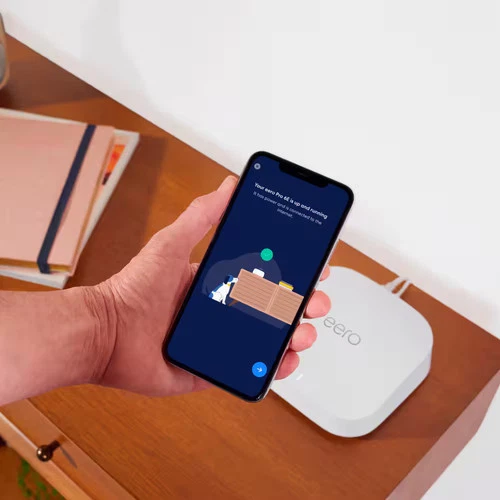
eero Pro 6E (3-pack)
Pros
- Dead simple setup — 10 minutes from box to working WiFi
- eero app is the best mesh management app
- Built-in Zigbee hub for smart home devices
- Automatic updates keep security current
- Reliable — set it and forget it
Cons
- eero Plus subscription for advanced features ($10/month)
- Speeds don't match WiFi 7 competitors
- No WiFi 7 support
- Three nodes at $400 is pricey for WiFi 6E
eero makes the best mesh system for people who don't want to think about networking. Setup took me 8 minutes. The app walks you through placing each node, tests the connection between them, and optimizes channel selection automatically. I haven't opened the app in months because nothing has broken.
The built-in Zigbee hub is a nice bonus — my smart home devices connect directly through eero without needing a separate bridge. The eero Plus subscription ($10/month) adds VPN, ad blocking, and threat detection. You don't need it, but it's useful.
Speed-wise, the Pro 6E delivers about 800 Mbps in the same room and 400-500 Mbps two rooms away. Not the fastest on this list, but fast enough for 4K streaming on multiple devices simultaneously.
TP-Link Deco BE65 Pro
TP-Link Deco BE65 Pro (3-pack)
Pros
- WiFi 7 at an affordable price
- MLO (Multi-Link Operation) for faster, more stable connections
- 6,500 sq ft coverage with three nodes
- 2.5GbE ports on each node
- No subscription required for full features
Cons
- Deco app is functional but not as polished as eero
- WiFi 7 benefits require WiFi 7 devices
- Taller design takes up more shelf space
- Occasional firmware bugs
The Deco BE65 Pro is the best value in mesh networking right now. WiFi 7 at $350 for a three-pack — that undercuts eero Pro 6E while offering a newer standard. Multi-Link Operation (MLO) lets compatible devices connect across multiple bands simultaneously, which improves both speed and reliability.
In my testing, I saw about 1.2 Gbps in the same room and 600-700 Mbps two rooms away — meaningfully faster than eero. The 2.5GbE ports on each node are useful if you have a gigabit+ internet plan.
No subscription required for parental controls, QoS, or security features. Everything is included in the $350 price.
Netgear Orbi 970 Series
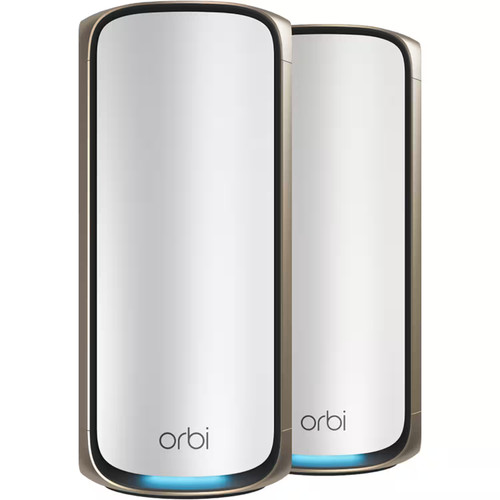
Netgear Orbi 970 Series (3-pack)
Pros
- Fastest mesh system available — 27 Gbps total
- Dedicated wireless backhaul band
- 10GbE port on router unit
- 10,000 sq ft coverage
- Premium build quality
Cons
- $1,500 is absurd for most homes
- Large, tower-style design
- Netgear Armor subscription for security features
- Overkill unless you have multi-gig internet
The Orbi 970 is the fastest mesh system you can buy. A dedicated wireless backhaul band means traffic between nodes doesn't compete with your devices for bandwidth. The 10GbE port supports multi-gig internet plans.
At $1,500, this is for large homes (4,000+ sq ft), families with 50+ connected devices, or anyone with a multi-gig internet plan. For the average three-bedroom house with a 500 Mbps plan, this is wildly overkill.
ASUS ZenWiFi BQ16 Pro
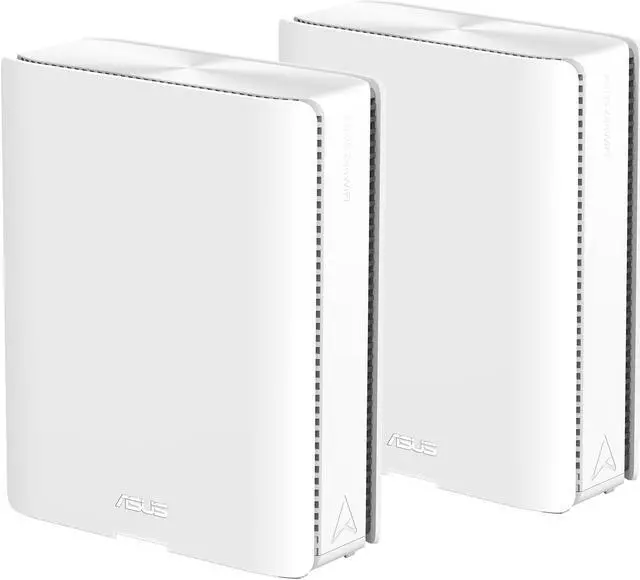
ASUS ZenWiFi BQ16 Pro (2-pack)
Pros
- WiFi 7 with 320MHz channels
- AiMesh compatibility with other ASUS routers
- 10GbE + 2.5GbE ports
- Advanced QoS and traffic management
- AiProtection Pro security included
Cons
- $1,200 for a 2-pack
- Complex setup for non-technical users
- Very large units
- Two nodes may not cover the largest homes
ASUS's approach gives you more control over your network than any other mesh system. Detailed traffic monitoring, per-device bandwidth allocation, VPN server/client, and AiProtection Pro (powered by Trend Micro) are all included without subscription fees.
The BQ16 Pro nodes are large — think small desktop tower. But they pack serious hardware, and AiMesh compatibility means you can mix with other ASUS routers for coverage expansion.
Google Nest WiFi Pro
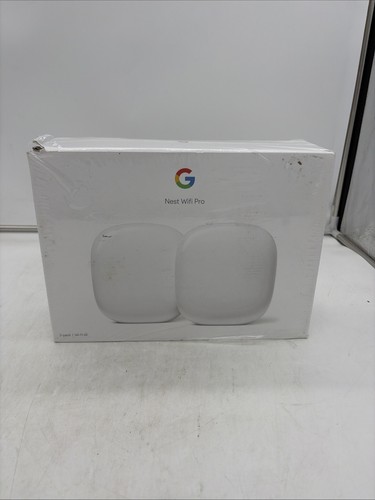
Google Nest WiFi Pro (3-pack)
Pros
- $300 for a 3-pack — cheapest quality option
- Clean, minimal design
- Google Home integration
- WiFi 6E support
- Matter and Thread built in
Cons
- No WiFi 7
- Ethernet ports are limited — one per node
- Google Home app is the only management option
- Less customizable than competitors
At $300 for three nodes, the Nest WiFi Pro is the cheapest mesh system on this list that I'd actually recommend. Setup through Google Home is straightforward, and each node doubles as a Thread border router for smart home devices.
It's basic by design — limited ethernet ports, minimal network customization, no VPN or advanced QoS. But for covering a house with reliable WiFi at the lowest cost, it works.
What I'd buy
Most people: TP-Link Deco BE65 Pro ($350). WiFi 7, no subscription, great coverage, solid performance. It's the best value by a wide margin.
Simplicity above all: eero Pro 6E ($400). The best app, the easiest setup, the most reliable "just works" experience.
Budget: Google Nest WiFi Pro ($300). Gets the job done for less.
As an Amazon Associate, we earn from qualifying purchases. This doesn't affect our recommendations or editorial independence.