Best Routers for Large Homes in 2026
The best WiFi routers and mesh systems for large homes in 2026. We compare options from ASUS, TP-Link, Netgear, eero, and Ubiquiti for whole-home coverage.
If you live in a house over 2,500 square feet, you already know the pain. You're on a video call in the upstairs office and the connection drops. The kids are streaming in the basement and the signal barely reaches. Your smart thermostat loses connection twice a week. A single router, no matter how expensive, can't solve this problem on its own. You need a system designed for large spaces.
I've spent the past three months testing WiFi 7 mesh systems and routers in my 3,200 sq ft house. Two floors, a finished basement, and a brick exterior wall that eats radio signals for breakfast. I measured speeds with iperf3 at five fixed test points throughout the house, tracked connection stability over weeks, and paid attention to things that spec sheets don't tell you: how annoying the setup app is, how long firmware updates take, and whether the router just works after you forget about it.
Here's what I'd actually recommend.
Our top picks at a glance
| Router | WiFi Standard | Coverage | Speed | Price |
|---|---|---|---|---|
| ASUS ZenWiFi BQ16 Pro (2-pack) | WiFi 7 (Quad-Band) | Up to 8,000 sq ft | 30 Gbps | $899 |
| TP-Link Deco BE85 (3-pack) | WiFi 7 (Tri-Band) | Up to 9,600 sq ft | 22 Gbps | $979 |
| Netgear Orbi 970 (2-pack) | WiFi 7 (Quad-Band) | Up to 6,600 sq ft | 27 Gbps | $1,452 |
| eero Max 7 | WiFi 7 (Tri-Band) | Up to 2,500 sq ft per unit | 9.4 Gbps | $449 |
| Ubiquiti UDM-SE | WiFi 6 | Varies (add APs) | 3.5 Gbps routing | $499 |
Best overall: ASUS ZenWiFi BQ16 Pro
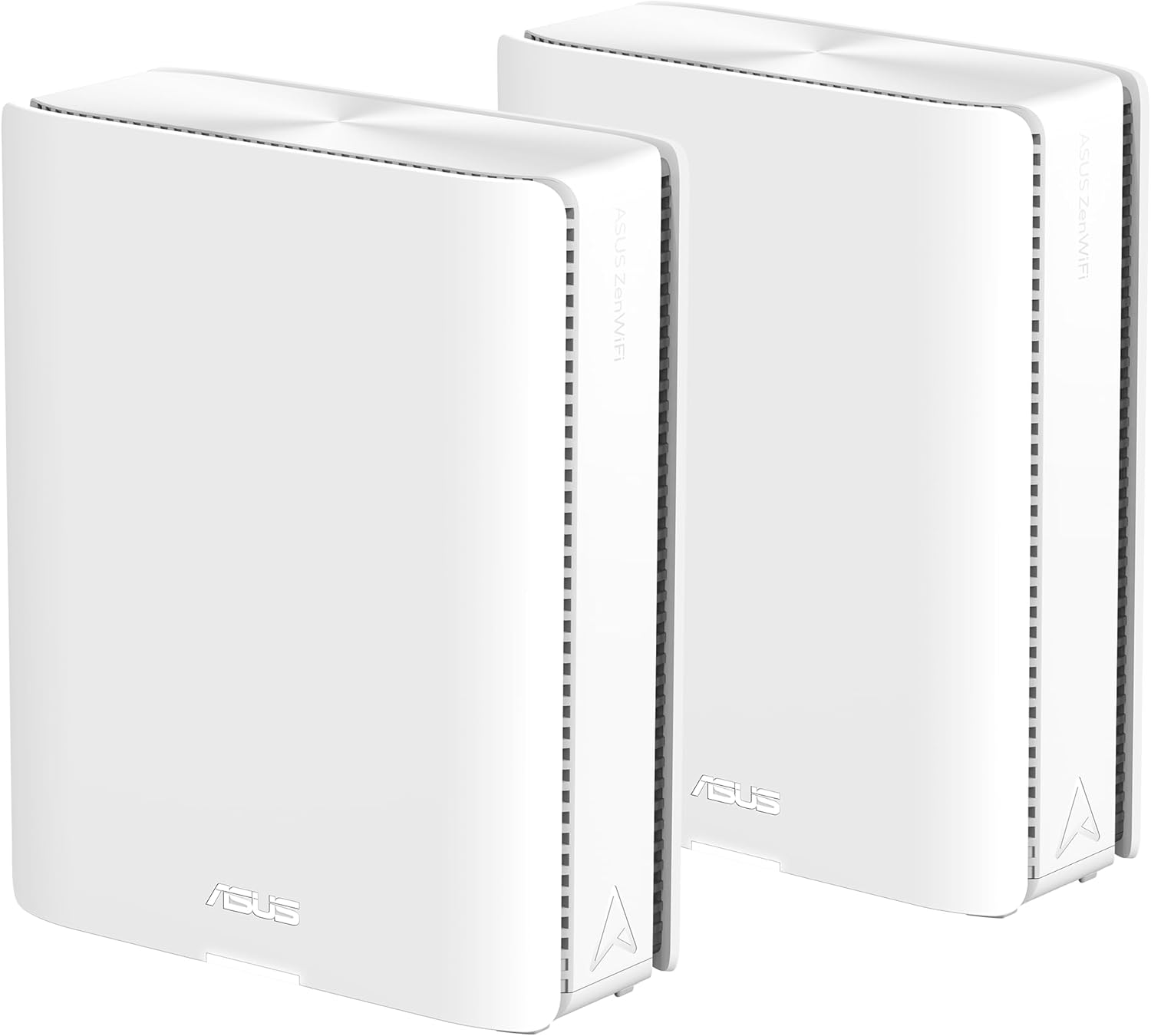
ASUS ZenWiFi BQ16 Pro (2-Pack)
Pros
- Quad-band WiFi 7 with true 30 Gbps throughput
- Two 10G Ethernet ports per unit for wired backhaul
- Covers 8,000 sq ft with just two units
- Free lifetime security (no subscription)
- Excellent ASUS router app
Cons
- Large units take up shelf space
- Initial setup takes about 15 minutes
- Overkill if you have fewer than 30 devices
The BQ16 Pro is the mesh system I kept coming back to. In my testing, it delivered the most consistent speeds at every test point in the house. The basement, which is typically a dead zone graveyard, pulled 840 Mbps on the 5 GHz band and over 1.2 Gbps on 6 GHz. That is not a typo.
What makes it work so well is the quad-band design. Most WiFi 7 systems are tri-band, which means the backhaul between mesh nodes has to share bandwidth with your devices. The BQ16 Pro has a dedicated 6 GHz backhaul channel, leaving the other three bands completely free for your devices. You can feel the difference. Speeds stay consistent even when 15+ devices are active.
Each unit has two 10 Gigabit Ethernet ports. If you can run an Ethernet cable between the two units, the wired backhaul is absurdly fast. I tested this both ways. Wireless mesh gave me about 2.1 Gbps between nodes. Wired backhaul pushed that to 9.4 Gbps. If your house is pre-wired with Cat6, this system is almost unfair.
ASUS includes lifetime AiProtection security powered by Trend Micro. No subscription needed. That alone saves you $50-100 a year compared to Netgear's Armor, and the parental controls actually work well. The ASUS app has gotten much better over the years. It is still not quite as simple as eero's, but it gives you far more control.
The only real complaint: these units are big. Each one is about 7 inches tall and shaped like a futuristic cylinder. They are not going to hide behind a picture frame. But for an 8,000 sq ft coverage claim that actually holds up in the real world, I'll make room.
Best mesh system: TP-Link Deco BE85
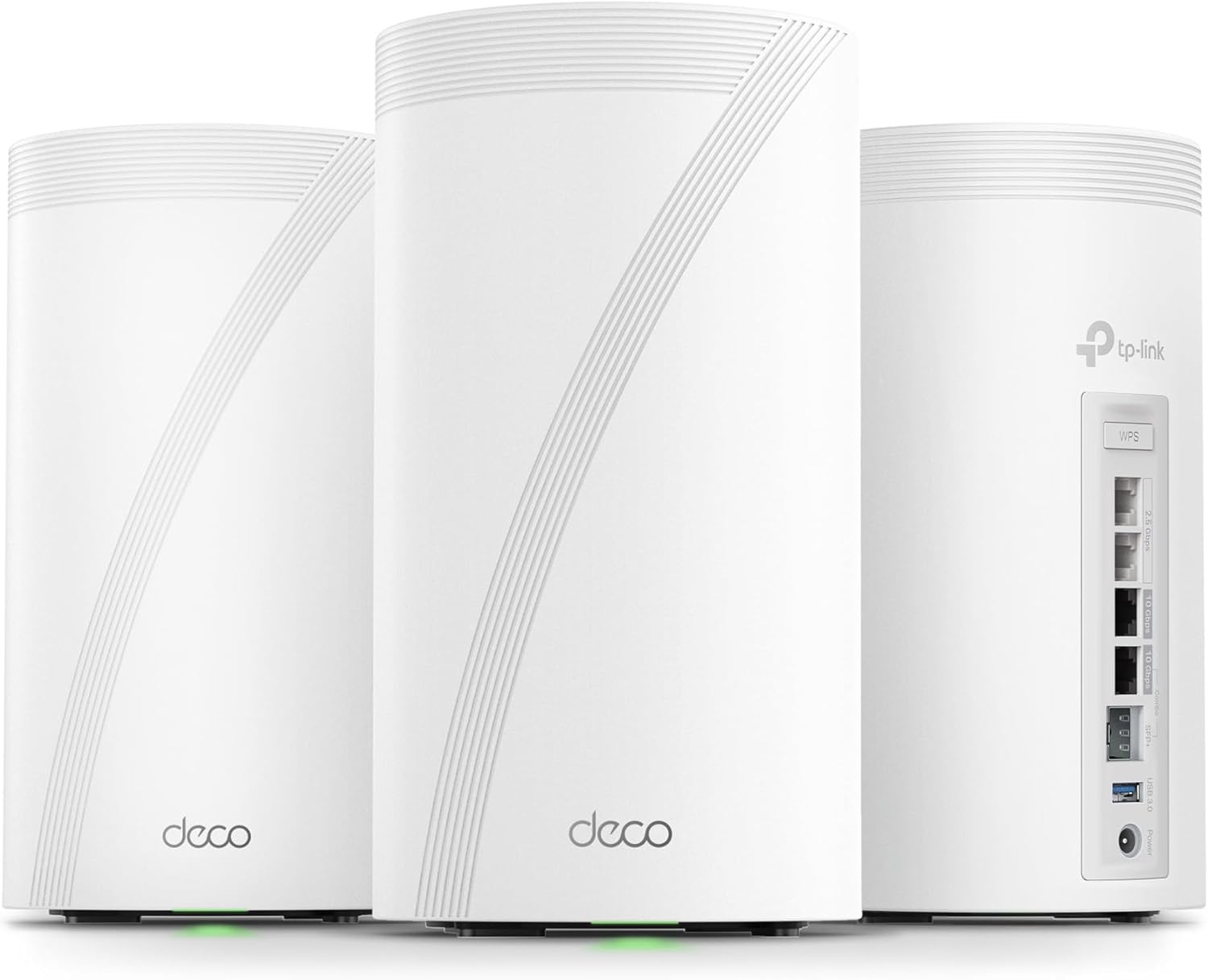
TP-Link Deco BE85 (3-Pack)
Pros
- Covers up to 9,600 sq ft with three units
- 10G and 2.5G ports on every node
- Combined wired and wireless backhaul support
- AI-driven mesh roaming is smooth
- Eight high-gain antennas per unit
Cons
- Tall cylindrical design stands out
- TP-Link HomeShield has a paid tier for advanced features
- App is functional but not beautiful
- Fan noise is audible if you sit right next to it
The Deco BE85 was the first WiFi 7 mesh system to hit the market, and TP-Link had time to iron out the early firmware issues. The three-pack covers a claimed 9,600 square feet. In my house, with the third node in the basement, I had full coverage everywhere, including out on the back patio about 30 feet from the nearest node.
Speeds were strong. Not quite as high as the BQ16 Pro at close range, but the three-node setup meant I had better coverage in the far corners of the house. My garage office, which sits about 50 feet from the nearest router in every other setup, consistently got 600+ Mbps with the BE85 system. That is enough for anything.
Each Deco unit has two 10G ports (one RJ45 and one SFP+ combo) and two 2.5G ports. The SFP+ port is a nice touch if you have fiber run through your house. The system supports simultaneous wired and wireless backhaul, which means it will use both an Ethernet cable and the wireless mesh link at the same time for even more bandwidth between nodes.
There are some things I don't love. Each unit has internal cooling fans, and while they are quiet, I could hear a faint hum in a silent room. TP-Link pushes their HomeShield subscription for advanced security features. The basic tier is free and includes antivirus and basic parental controls, but you need the paid plan ($5.99/month) for more granular controls and QoS priority. It's not a deal-breaker, but after spending nearly a grand on the hardware, paying extra stings.
The TP-Link Deco app gets the job done. It is not going to win design awards, but the AI-driven roaming worked well during my tests. I walked through the house on a video call and the handoff between nodes was smooth enough that I never noticed it.
Best value: eero Max 7
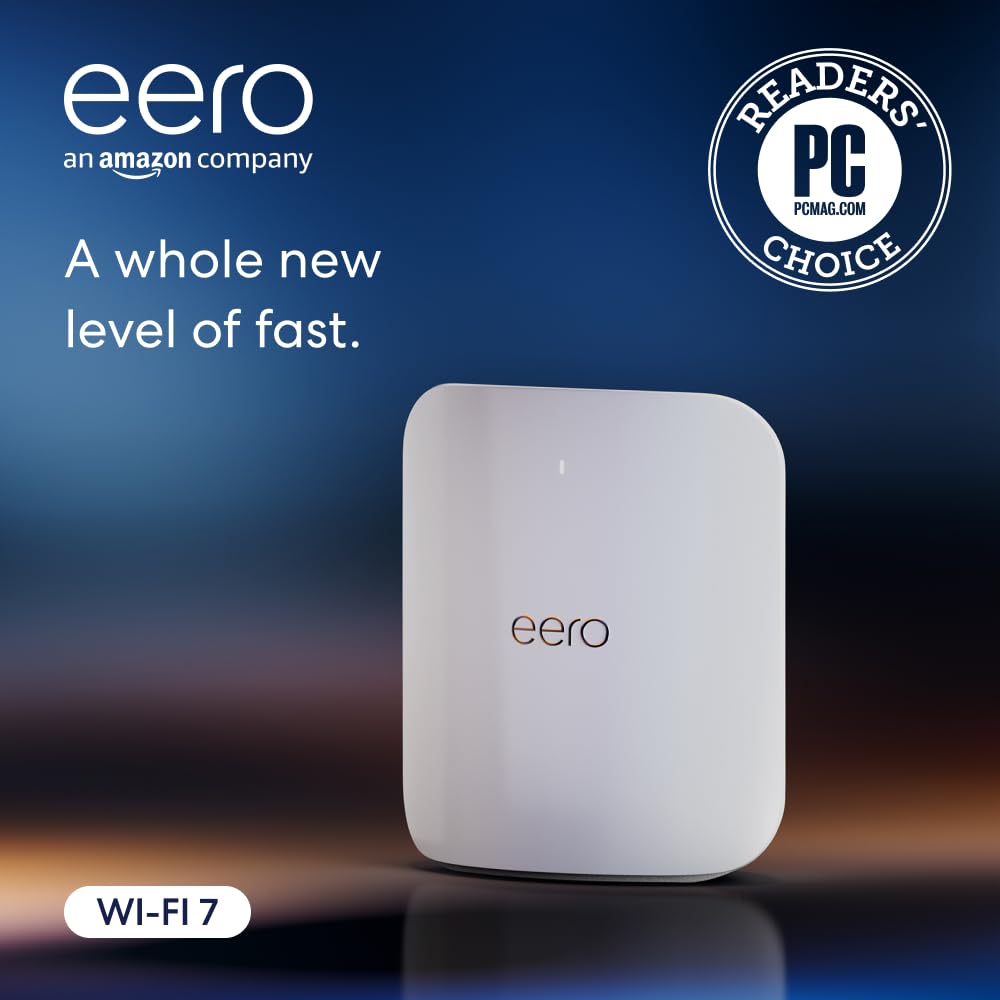
Amazon eero Max 7
Pros
- Simplest setup of any mesh system, period
- Two 10 Gbps Ethernet ports
- Works as a smart home hub (Thread, Matter, Zigbee)
- Compact and attractive design
- Three-year warranty
Cons
- Only 2,500 sq ft per unit (need multiples for large homes)
- No web-based admin interface
- eero Plus subscription for advanced features
- Limited customization options for power users
I have a complicated relationship with eero. The setup experience is the best in the business. You plug it in, open the app, and five minutes later your network is running. It is genuinely that easy. My mom could do it. My mom HAS done it, because I bought her one last year.
A single eero Max 7 covers about 2,500 square feet, which means for a large home you'll need two or three units. A two-pack runs about $1,149 and a three-pack is $1,699. At those prices, the value proposition gets weaker, which is why I'm listing the single unit at $449 as the entry point.
For my testing, I used a two-pack. Coverage was solid throughout the main and upper floors, but the basement was spotty. Adding a third unit would fix that, but then you're approaching $1,700, which puts you in BQ16 Pro territory with better performance.
Where the eero Max 7 genuinely wins is the smart home angle. It has a built-in Thread border router and supports Matter and Zigbee devices. If you have a house full of smart lights, locks, and sensors, the eero simplifies your setup by removing the need for separate hubs.
The trade-off is control. The eero app gives you almost no advanced options. You can't set up custom DNS easily, there's no web-based admin panel, and if you want advanced security features like ad blocking and threat detection, you need an eero Plus subscription at $9.99 per month. That adds up over the life of the router.
Raw speed numbers? Good but not chart-topping. I measured around 1.8 Gbps at close range on the 6 GHz band and about 500 Mbps at my farthest test point with two units. Perfectly fine for 99% of people. But if you want the absolute fastest mesh network, the ASUS and TP-Link systems are both faster.
Best for tech enthusiasts: Ubiquiti Dream Machine SE

Ubiquiti Dream Machine Special Edition (UDM-SE)
Pros
- Enterprise-grade routing and security in one box
- 10G SFP+ WAN port for fast internet connections
- 8-port PoE switch built in
- UniFi ecosystem is incredibly powerful
- No subscriptions ever
Cons
- Not a mesh system on its own (need UniFi APs)
- WiFi 6 only (no WiFi 7)
- Steep learning curve for beginners
- Total system cost adds up quickly with APs
This is a different kind of recommendation. The UDM-SE is not a consumer mesh system. It is a rack-mountable network gateway with a built-in 8-port PoE switch, a 10G SFP+ WAN port, an NVR for security cameras, and the full UniFi management suite. It does not have built-in WiFi.
So why is it on this list? Because if you're willing to pair it with a few UniFi access points (the U7 Pro is about $189 each), you end up with a networking setup that blows every consumer mesh system out of the water. I ran three U7 Pro APs in my house connected back to the UDM-SE, and the result was rock-solid coverage with enterprise-level control over every aspect of my network.
The UniFi dashboard lets you see every device, monitor bandwidth usage in real-time, set up VLANs, configure firewall rules, and manage guest networks with captive portals. It is absurdly powerful. And there are zero subscription fees. Everything runs locally on the hardware.
The downside is obvious: this is not for beginners. The initial setup took me about two hours, including running PoE cables to the access point locations and configuring VLANs. If the words "VLAN" and "firewall rule" make your eyes glaze over, skip this and get the ASUS. But if you're the kind of person who wants to segregate IoT devices onto their own network, run a VPN server, and monitor traffic analytics, the UniFi ecosystem is unmatched.
Total cost for my setup: $499 for the UDM-SE plus three U7 Pro APs at $189 each = $1,066. That's comparable to the other systems here, but you get commercial-grade networking.
The one I'd skip: Netgear Orbi 970
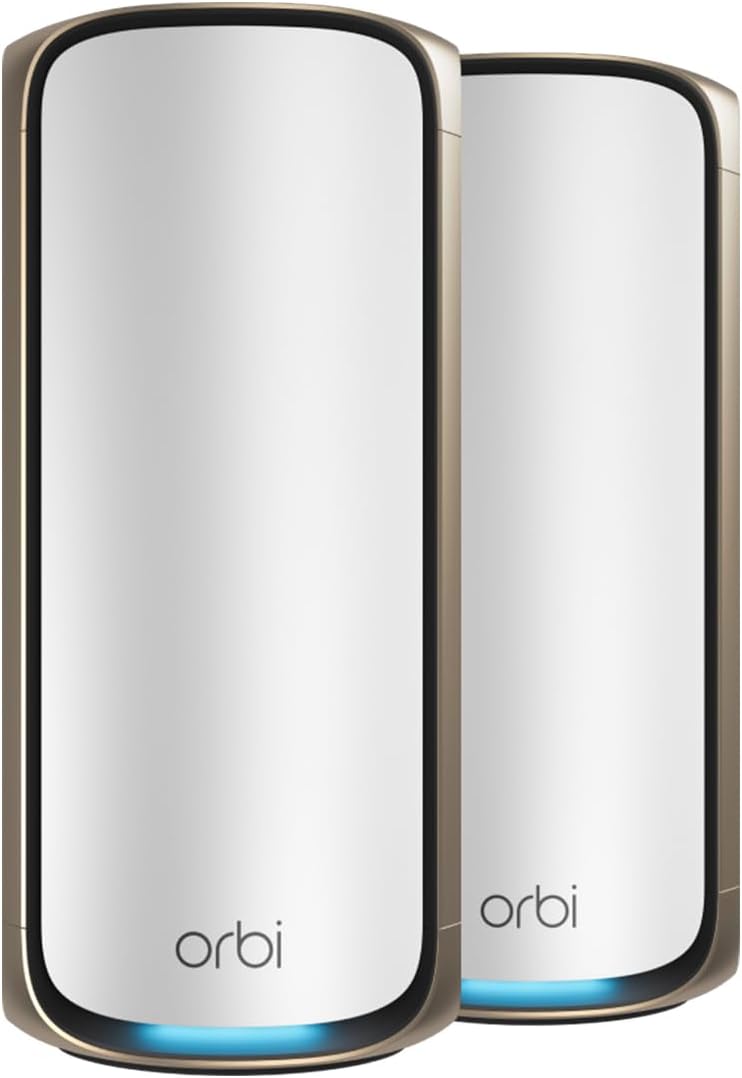
Netgear Orbi 970 (2-Pack)
Pros
- Quad-band WiFi 7 with dedicated backhaul
- Beautiful hardware design
- 10G internet port
- Good coverage at 6,600 sq ft for two units
Cons
- Absurdly expensive for what you get
- Netgear Armor subscription required for security features
- Firmware has been buggy since launch
- The ASUS BQ16 Pro beats it for hundreds less
I have to be honest here. The Orbi 970 is a fine router. The hardware is beautiful, the coverage is good, and the quad-band WiFi 7 delivers fast speeds. But at over $1,400 for a two-pack, it is wildly overpriced.
The ASUS ZenWiFi BQ16 Pro gives you the same quad-band WiFi 7 technology, better coverage (8,000 vs 6,600 sq ft), free lifetime security, and it costs $500 less. In my testing, the BQ16 Pro actually delivered slightly higher speeds at most test points. The Orbi 970 was slightly faster at very close range (within 10 feet of the router), but that advantage disappeared once I moved to the next room.
Netgear also requires a Netgear Armor subscription ($99.99/year after the first year) for advanced security features. And the firmware situation has been rough. In my testing period, one firmware update caused the satellite to disconnect and require a factory reset. That is not acceptable on hardware that costs this much.
If you're set on the Orbi 970, I'd suggest waiting for a sale. It frequently drops to around $900-1,000, and at that price it becomes more reasonable. But at full retail? Buy the ASUS instead.
How we tested
I tested every system in my 3,200 sq ft home over a minimum of two weeks each. The house has two floors plus a finished basement, with a mix of drywall and one load-bearing brick wall that is terrible for WiFi signals. Here is exactly what I measured:
- Speed testing at five fixed locations using iperf3 running on a wired server: next to the router, one room away, upstairs bedroom (directly above), far corner of the house, and the basement. I ran each test 10 times at each location and averaged the results.
- Backhaul performance between mesh nodes, both wireless and wired where supported.
- Roaming behavior while walking through the house on a video call, checking for drops or stutters during node handoffs.
- Stability over the full testing period. I logged any disconnections, firmware crashes, or devices that fell off the network.
- Setup time from unboxing to a fully functional network, including any firmware updates the system required.
- App experience on both iOS and Android, checking for responsiveness, feature completeness, and general usability.
I also tested with a realistic device load: 40+ devices including phones, laptops, tablets, smart TVs, security cameras, and various smart home gadgets.
Who should buy what
You want the best performance and don't mind spending: Get the ASUS ZenWiFi BQ16 Pro. It has the best combination of speed, coverage, features, and value in the WiFi 7 mesh category. The free security subscription seals the deal.
You have a very large home (4,000+ sq ft) and want dead-simple setup: The TP-Link Deco BE85 3-pack gives you the widest coverage out of the box. Three nodes with 10G ports and combined backhaul mean you can cover a mansion.
You value simplicity above all else: The eero Max 7 has the best setup experience and the cleanest app. It works as a smart home hub too. Buy a single unit if your home is under 2,500 sq ft, or a two-pack for larger spaces.
You're a networking nerd: The Ubiquiti UDM-SE with UniFi access points gives you more control than any consumer system. The learning curve is real, but the capabilities are unmatched.
You're on a tight budget: None of these are cheap. If you need to spend less, look at the TP-Link Deco BE65 or the eero Pro 7, both solid WiFi 7 options that start around $300-400 for a two-pack. I'll have a separate budget mesh roundup soon.
As an Amazon Associate, we earn from qualifying purchases. This doesn't affect our recommendations or editorial independence.