Best Standing Desks Under $500
The best standing desks under $500 in 2026. We compare FlexiSpot, Uplift, IKEA Bekant, Autonomous, and more for stability, features, and value.
If you're still sitting all day, your back is judging you. A standing desk doesn't mean you have to stand all day — the real benefit is the ability to alternate between sitting and standing throughout the day, which reduces fatigue, improves posture, and can genuinely make long work sessions more comfortable.
The good news: you don't need to spend $1,000+ to get a solid standing desk. The sub-$500 market has matured significantly, and there are excellent options at every price point.
Our Top Picks at a Glance
| Desk | Height Range | Weight Capacity | Desktop Size | Price |
|---|---|---|---|---|
| FlexiSpot E7 Pro Plus | 22.8–48.4 in | 355 lbs | 48x24 to 80x30 in | $480 |
| Uplift V2 (base only) | 25.3–50.9 in | 355 lbs | Custom top options | $449 |
| FlexiSpot E7 | 22.8–48.4 in | 310 lbs | 48x24 to 80x30 in | $380 |
| IKEA Bekant | 22–48 in | 154 lbs | 63x31.5 in | $399 |
| Autonomous SmartDesk Core | 29.4–48 in | 265 lbs | 53x27.5 in | $299 |
Best Overall: FlexiSpot E7 Pro Plus
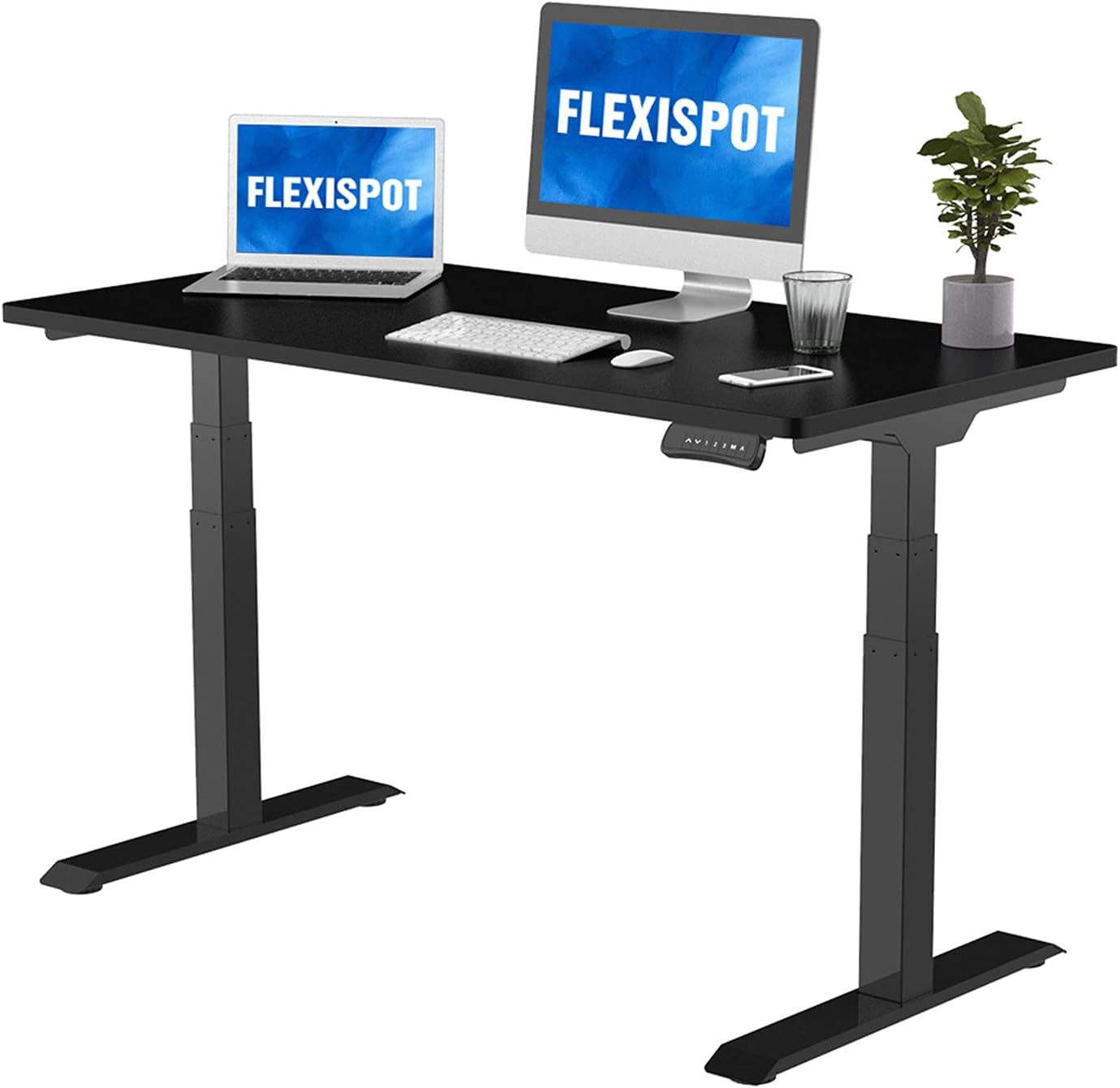
FlexiSpot E7 Pro Plus
Pros
- Industry-leading 355 lb weight capacity
- Rock solid stability even at max height
- Dual motor system is fast and quiet
- Anti-collision detection
- 4 programmable height presets
- 15-year warranty on frame
Cons
- At $480, it's near the top of our budget
- Desktop not included at base price
- Assembly takes 30-45 minutes
- Large footprint
The FlexiSpot E7 Pro Plus is the standing desk to beat under $500. The headline number is that 355 lb weight capacity — the highest in this price range and higher than many desks costing twice as much. In practice, this means zero wobble even with a heavy monitor arm, multiple monitors, and a full desktop setup.
The dual motor system moves at about 1.5 inches per second, which means transitioning from sitting to standing takes roughly 10 seconds. It's quiet enough to use during a video call without anyone noticing.
Anti-collision detection prevents the desk from crushing anything (or anyone) underneath it — a feature that should be mandatory but isn't on cheaper desks. The 4 programmable presets let you switch between your preferred heights with a single button press.
The frame comes without a desktop at the base price, but FlexiSpot offers bamboo and laminate tops in various sizes. Or bring your own — a butcher block countertop from Home Depot makes an excellent custom desktop for $80-150.
Who it's for: Anyone who wants the sturdiest, most feature-complete standing desk under $500 and doesn't mind spending near the budget ceiling.
Best Premium Frame: Uplift V2
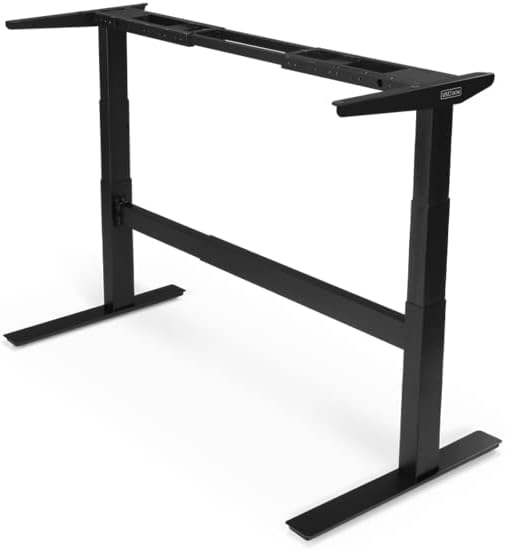
Uplift V2 (Frame Only)
Pros
- Excellent build quality and stability
- Widest height range: 25.3 to 50.9 in
- 355 lb weight capacity
- Huge customization options on Uplift's site
- Wire management built into legs
- 15-year warranty
Cons
- $449 for frame only — desktop extra
- Total cost can creep past $500 with accessories
- Ships from Texas — may take longer than Amazon options
- Some reports of customer service delays
Uplift is the enthusiast's choice in the standing desk world. The V2 frame offers the widest height range we've seen (25.3" to 50.9"), which accommodates everyone from 5'2" to well over 6'4". This matters — a lot of cheaper desks don't go low enough for shorter users.
The build quality is excellent, with steel components that feel noticeably more solid than budget options. The legs include built-in wire channels, which is a small touch that makes cable management significantly easier.
Uplift's website lets you customize everything: desktop material, size, color, grommets, keyboard trays, and accessories. This is great for getting exactly what you want, but it also means the price can climb past $500 quickly if you add a nice desktop and accessories.
At $449 for the frame alone, you'll want to budget for a desktop. IKEA countertops ($60-100) or butcher block ($80-150) are popular pairings.
Who it's for: People who want a premium frame with maximum adjustability and don't mind sourcing their own desktop.
Best Value: FlexiSpot E7
FlexiSpot E7
Pros
- Excellent stability for the price
- 310 lb capacity handles most setups
- Same motor system as the Pro Plus
- Anti-collision and 4 presets
- Often on sale for $320-350
Cons
- 310 lbs vs 355 lbs on the Pro Plus
- Slightly more wobble at max height than Pro Plus
- Desktop sold separately at base price
The standard FlexiSpot E7 is the sweet spot for most people. It uses the same dual motor system as the Pro Plus, includes anti-collision detection and 4 presets, and delivers stability that's 90% as good at $100 less.
The 310 lb weight capacity is more than enough for a typical dual-monitor setup with a desktop, and you'd need to pile on serious weight to notice the difference from the Pro Plus. At max height (48.4"), there's slightly more wobble than the Pro Plus, but we're talking about millimeters.
FlexiSpot runs frequent sales where the E7 drops to $320-350, making it an absurd value. If you catch it on sale, this is the desk to get.
Who it's for: Most people. Seriously. Unless you need the absolute maximum weight capacity or plan to extend the desk past 48", save $100 and get this.
Best for IKEA Fans: IKEA Bekant
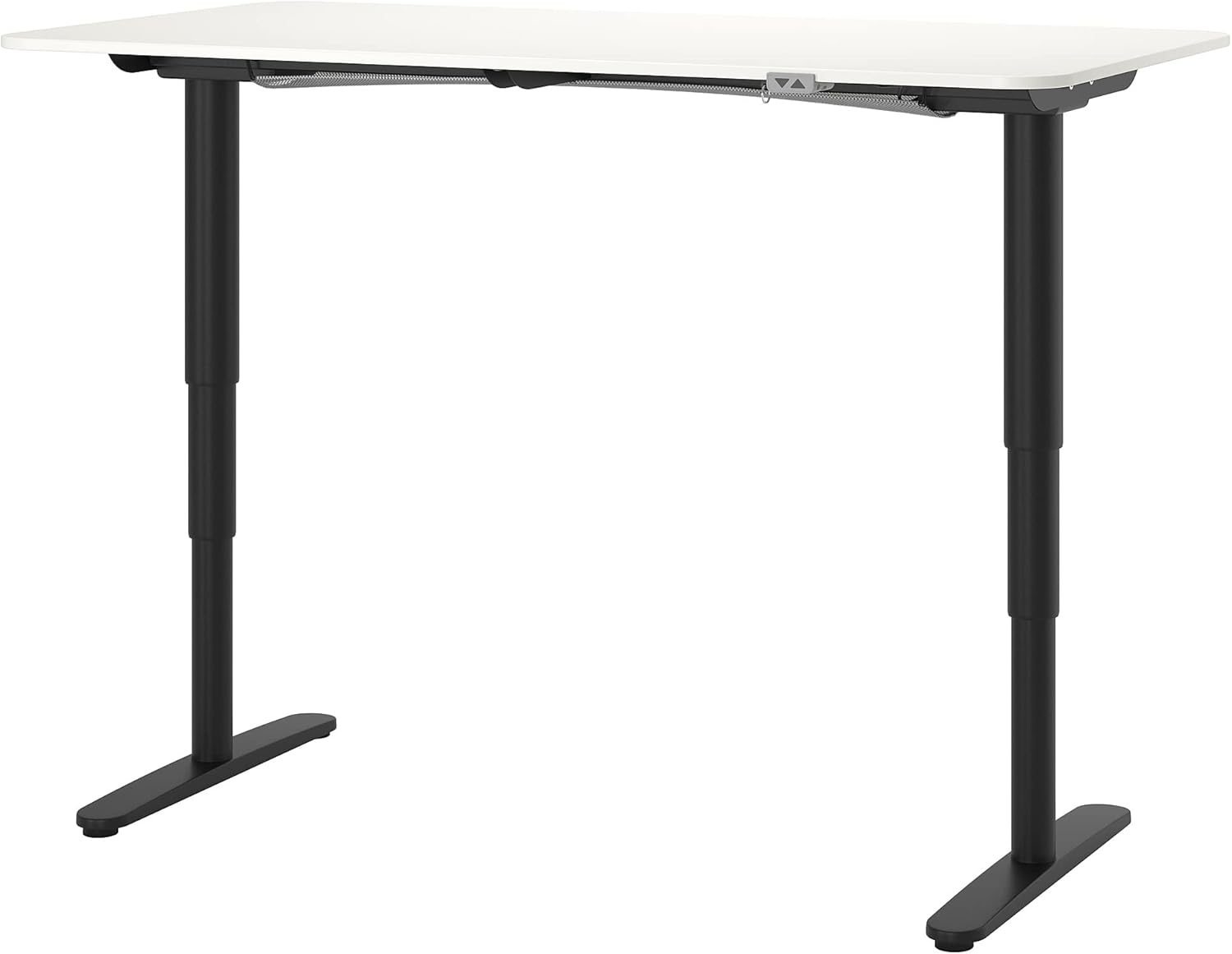
IKEA Bekant
Pros
- Huge 63x31.5 in desktop included
- IKEA's 10-year warranty
- Clean Scandinavian design
- Easy to buy in-store and bring home today
- Net/cable management included
Cons
- Wobbles at standing height — notably less stable than FlexiSpot
- Only 154 lb weight capacity
- No programmable presets — just up/down buttons
- No anti-collision detection
- Reports of motor burnout after 2-3 years
The IKEA Bekant is the standing desk most people have heard of, and it's... fine. The big advantage is that $399 gets you a complete desk — frame and a large 63" × 31.5" desktop — ready to use. No sourcing a separate top.
The design is clean and minimal, as you'd expect from IKEA, and the included cable management net is genuinely useful.
But the Bekant has real drawbacks. The 154 lb weight capacity is less than half what FlexiSpot and Uplift offer. More concerning, the desk noticeably wobbles at standing height, especially if you're typing. Multiple reviewers (including Wirecutter) have flagged stability as a significant issue.
There are no programmable presets — just up and down buttons that you hold until you reach your desired height. No anti-collision detection either. And at $399 for a desk with these limitations, the FlexiSpot E7 at $380 (with a separate desktop) is objectively a better deal.
Who it's for: People who want a complete desk they can pick up today at IKEA and don't need heavy-duty stability.
Best Budget: Autonomous SmartDesk Core
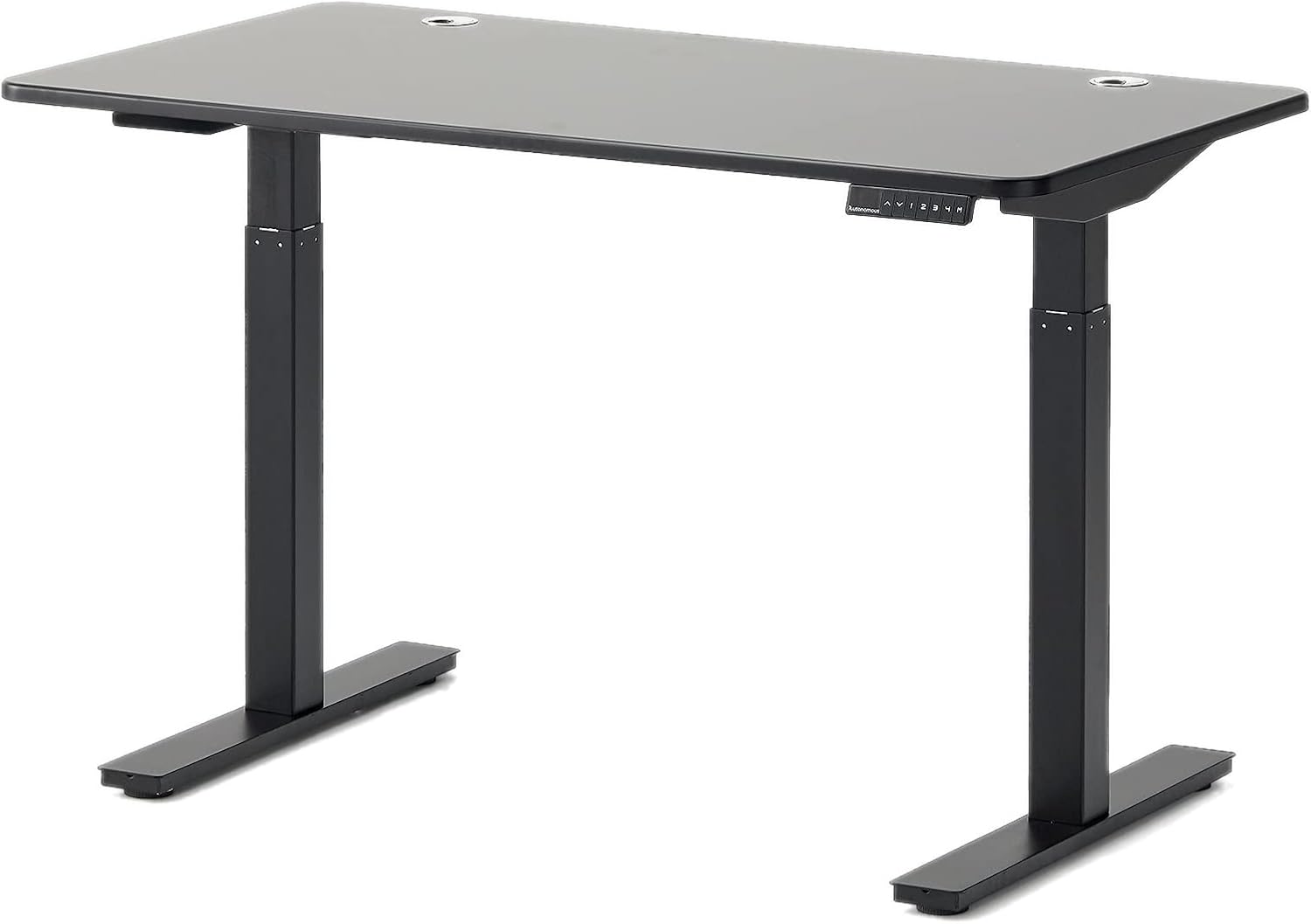
Autonomous SmartDesk Core
Pros
- Lowest price in our roundup at $299
- Desktop included
- Decent build quality for the price
- 4 programmable presets
- Clean, modern design
Cons
- No anti-collision — will crush things
- Limited height range: 29.4 in minimum is too high for some
- 265 lb capacity is mediocre
- Warranty is only 5 years
- Customer service has mixed reviews
At $299 with a desktop included, the Autonomous SmartDesk Core is the cheapest complete standing desk worth buying. It gets the basics right: dual motor, 4 presets, and a clean design that doesn't scream "budget office furniture."
The compromises are real though. The 29.4" minimum height is too high for shorter users in a sitting position. The lack of anti-collision detection is a safety concern if you have kids, pets, or stuff stored under the desk. And the 5-year warranty is less than half what FlexiSpot and Uplift offer.
If $300 is your hard budget, this gets you into the standing desk game. But if you can stretch to $380, the FlexiSpot E7 is a dramatically better desk.
Who it's for: Budget-conscious buyers who want a standing desk and can't justify spending $400+.
Standing Desk Buying Guide
Motor: Dual > Single
Dual motor desks are faster, quieter, and more stable than single motor. Every desk in our roundup has dual motors.
Weight Capacity: 300+ lbs
You'd be surprised how fast weight adds up: desktop (30-50 lbs), monitor arm + monitors (20-40 lbs), computer, accessories. Get 300+ lb capacity for headroom.
Height Range: Check the Minimum
Most desks go high enough. The problem is going low enough. If you're under 5'8", make sure the desk goes below 26" for comfortable seated use.
Anti-Collision: Non-Negotiable
A motorized desk that doesn't detect obstacles will crush whatever's in its path — your keyboard tray, your chair arms, your cat. Get a desk with anti-collision detection.
Presets: Essential Quality of Life
Without presets, you'll stop adjusting your desk. With presets, switching between sitting and standing is a one-button operation. This is the feature that makes you actually use a standing desk.
Our Recommendation
For most people, the FlexiSpot E7 at $380 (frame) is the best standing desk under $500. It nails the fundamentals — stability, speed, presets, anti-collision — at a fair price. If you want the absolute best and can stretch to $480, the E7 Pro Plus is the upgrade. If you just need something cheap and functional, the Autonomous SmartDesk Core at $299 gets the job done.
Skip the IKEA Bekant unless you specifically need to buy in-store today. The competition has passed it by.
As an Amazon Associate, we earn from qualifying purchases. This doesn't affect our recommendations or editorial independence.