Best Tablets for Students 2026
Find the right student tablet in 2026. We compared iPads, Galaxy Tabs, and budget picks for note-taking, studying, and school life.
Picking a tablet for school comes down to what you actually need it for. If you're taking handwritten notes all day, stylus quality matters more than raw performance. If you're mostly reading textbooks and watching lectures, a cheaper tablet works fine. I've been testing tablets with actual student workflows — note-taking apps, PDF annotation, split-screen multitasking, and yes, Netflix between classes.
Quick comparison
| Tablet | Display | Storage | Stylus | Price |
|---|---|---|---|---|
| iPad Air M3 | 11" Liquid Retina | 128GB-1TB | Apple Pencil Pro | $599 |
| Samsung Galaxy Tab S10 FE | 12.4" AMOLED | 128GB-256GB | S Pen (included) | $450 |
| iPad 11th Gen | 10.9" Liquid Retina | 64GB-256GB | Apple Pencil USB-C | $349 |
| Samsung Galaxy Tab A9+ | 11" LCD | 64GB-128GB | S Pen (sold separately) | $220 |
| OnePlus Pad 2 | 12.1" LCD | 128GB-256GB | OnePlus Stylo (sold separately) | $400 |
iPad Air M3
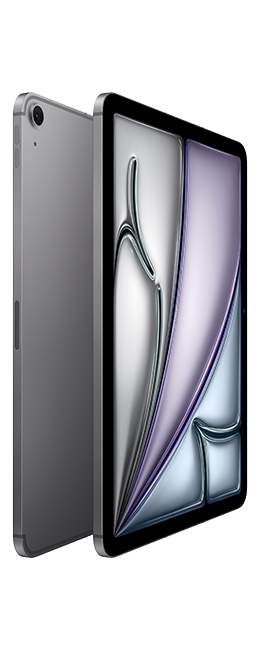
Apple iPad Air M3 (11-inch)
Pros
- M3 chip handles anything you throw at it
- Apple Pencil Pro with haptic feedback is great for notes
- Best app ecosystem for students
- Stage Manager for desktop-like multitasking
- All-day battery life — 10+ hours easily
Cons
- $599 before adding Pencil and keyboard
- 128GB base storage fills up fast
- iPadOS still has limitations vs a laptop
The iPad Air M3 is overkill for taking notes, and that's exactly why it's good. The M3 chip means it won't slow down in three years when you're running five apps in split screen while exporting a video project. It's future-proof in a way that matters for a device you'll use through four years of college.
Apple Pencil Pro support is the real upgrade here. The haptic feedback when you switch tools in GoodNotes or Notability gives you a tactile click that makes writing feel more natural. Hover detection lets you preview brush strokes before they touch the screen. It sounds minor, but after using it for a week, going back to a regular stylus feels wrong.
The app situation on iPad is genuinely better for students. GoodNotes, Notability, and Notion all have their best versions on iPadOS. LumaFusion for video editing, Procreate for art classes, and even full Microsoft Office — it's all there.
The downside is price. $599 for the tablet, $129 for the Pencil Pro, and $299 for the Magic Keyboard puts you at over $1,000. At that point, a MacBook Air starts looking reasonable.
Samsung Galaxy Tab S10 FE
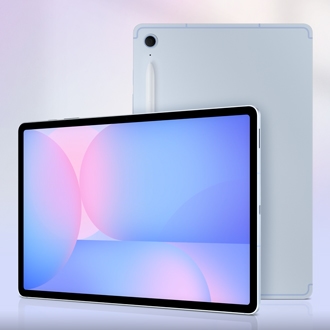
Samsung Galaxy Tab S10 FE
Pros
- 12.4-inch AMOLED display is gorgeous for reading
- S Pen included in the box — no extra purchase
- Samsung Notes is surprisingly capable
- DeX mode gives you a desktop interface
- MicroSD expansion up to 1TB
Cons
- Android tablet app quality is inconsistent
- S Pen latency slightly behind Apple Pencil
- Build feels plasticky compared to iPad
Samsung includes the S Pen in the box. That alone saves you $130 compared to buying an Apple Pencil separately. The Tab S10 FE's 12.4-inch AMOLED screen is larger than the base iPad Air, and the colors pop in a way that makes reading PDFs and textbooks more pleasant than it should be.
Samsung Notes has gotten surprisingly good. Handwriting recognition, automatic shape correction, audio recording synced to your notes — it covers 90% of what GoodNotes does. And DeX mode transforms the tablet into a desktop-like environment when you connect a keyboard, which is handy for writing papers.
The MicroSD slot is a genuine advantage. You can expand storage up to 1TB for the price of a $20 card, while Apple charges $100 to go from 128GB to 256GB.
Where Samsung falls behind is app quality. Some Android apps are still phone-scale apps stretched to fit a tablet screen. It's getting better, but iPadOS is ahead here.
iPad 11th Gen
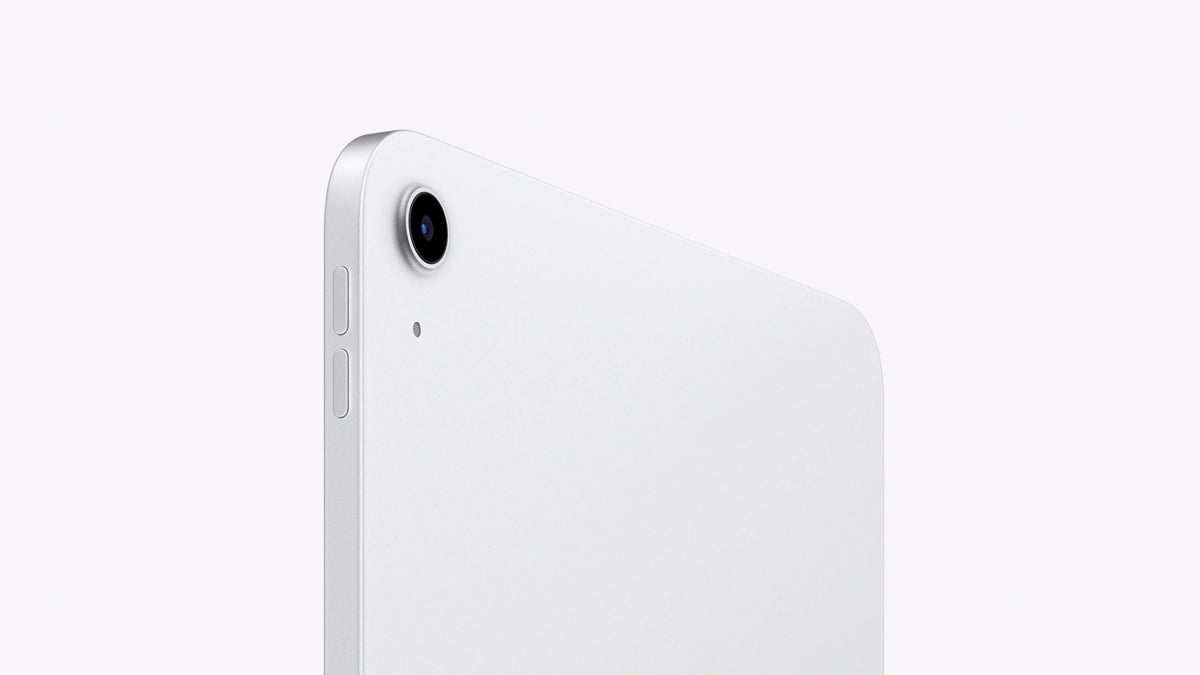
Apple iPad 11th Gen
Pros
- $349 gets you into the iPad ecosystem
- A16 chip is plenty for student tasks
- Apple Pencil USB-C support
- Best budget tablet app ecosystem
- 10-hour battery
Cons
- 64GB base storage is laughably small
- No laminated display — pencil feels less precise
- Single speaker setup
The cheapest way into iPad-quality apps. The A16 chip handles note-taking, web browsing, video streaming, and light photo editing without hesitation. For a student who wants GoodNotes and a decent Apple Pencil experience without spending $600+, this is the move.
The 64GB base storage is the biggest compromise. With the OS taking up about 15GB, you're left with ~49GB for apps, notes, textbooks, and downloads. It fills up faster than you'd think. Spend the extra $100 for 256GB if you can.
The display isn't laminated, which means there's a visible gap between the glass and the actual screen. When writing with the Pencil, it feels like you're writing slightly above the surface rather than on it. You get used to it, but the difference is noticeable if you've used an Air or Pro.
Samsung Galaxy Tab A9+
Samsung Galaxy Tab A9+
Pros
- $220 for a usable tablet
- 11-inch display is good for the price
- MicroSD expandable storage
- Decent battery life — 8+ hours
- Samsung One UI is clean
Cons
- Performance hiccups with heavy multitasking
- S Pen sold separately at $30
- Display quality is noticeably worse than AMOLED options
- Camera is mediocre
At $220, expectations should be calibrated accordingly. The Tab A9+ handles note-taking, web browsing, YouTube, and e-book reading without drama. It struggles when you push it — running three apps in split view with Samsung Notes recording audio caused some stuttering in my testing.
For a student on a tight budget who mainly needs a tablet for reading, light note-taking, and media consumption, this does the job. The S Pen is sold separately ($30), which is still cheaper than buying an iPad + Apple Pencil.
OnePlus Pad 2
OnePlus Pad 2
Pros
- Snapdragon 8 Gen 3 is fast
- 12.1-inch display with 144Hz refresh
- Excellent speakers — four drivers
- Fast charging hits 67W
- Clean OxygenOS interface
Cons
- Stylus is $50 extra and not as good as S Pen or Pencil
- App optimization is hit-or-miss
- No water resistance
- Limited accessories ecosystem
The OnePlus Pad 2 is the performance wild card. A Snapdragon 8 Gen 3 in a $400 tablet means it benchmarks higher than tablets costing twice as much. The 144Hz display is the smoothest here — scrolling through lecture slides and PDFs feels liquid.
Four-speaker audio is genuinely impressive for watching lecture recordings or, let's be honest, YouTube and Netflix. The 67W fast charging can get you from zero to 50% in about 25 minutes, which is helpful when you forgot to charge the night before.
The weakness is the stylus experience and app ecosystem. OnePlus's stylus is decent but lacks the refinement of Apple Pencil Pro or S Pen. And Android tablet apps remain a work in progress.
What matters for students
Stylus quality — If you take handwritten notes, this is the number one priority. Apple Pencil Pro is the best, S Pen is close behind.
Storage — 64GB isn't enough for most students. Aim for 128GB minimum, or get a tablet with MicroSD expansion.
App ecosystem — iPadOS has better tablet-optimized apps. Android is catching up but isn't there yet.
Battery life — You need a full school day. Everything on this list manages 8+ hours, but the iPads consistently last the longest.
My recommendation
Most students should get the Samsung Galaxy Tab S10 FE. The included S Pen, large AMOLED screen, and $450 price point hit the sweet spot. If you're in the Apple ecosystem already, the iPad Air M3 is the premium choice. And if budget is the primary concern, the iPad 11th Gen at $349 gets you into the best app ecosystem at the lowest price.
As an Amazon Associate, we earn from qualifying purchases. This doesn't affect our recommendations or editorial independence.