Kindle Paperwhite vs Kobo Clara Colour
A direct comparison of the Kindle Paperwhite and Kobo Clara Colour. We break down display quality, ecosystems, features, and value to help you decide.
This is the most common e-reader question I get: Kindle or Kobo? The short answer is that both are good, but they serve different types of readers. The longer answer involves ecosystems, library access, file format support, and whether color e-ink is worth the trade-offs.
I used both side-by-side for a month, reading the same books when possible.
Specs at a glance
| Feature | Kindle Paperwhite (2024) | Kobo Clara Colour |
|---|---|---|
| Screen | 7" 300ppi B&W | 6" 300ppi Color E Ink |
| Storage | 16GB | 16GB |
| Waterproof | IPX8 | IPX8 |
| Battery | ~4 weeks | ~3 weeks |
| Frontlight | 17 warm/cool LEDs | 12 LEDs with ComfortLight |
| Weight | 205g | 174g |
| Price | $150 | $150 |
Display
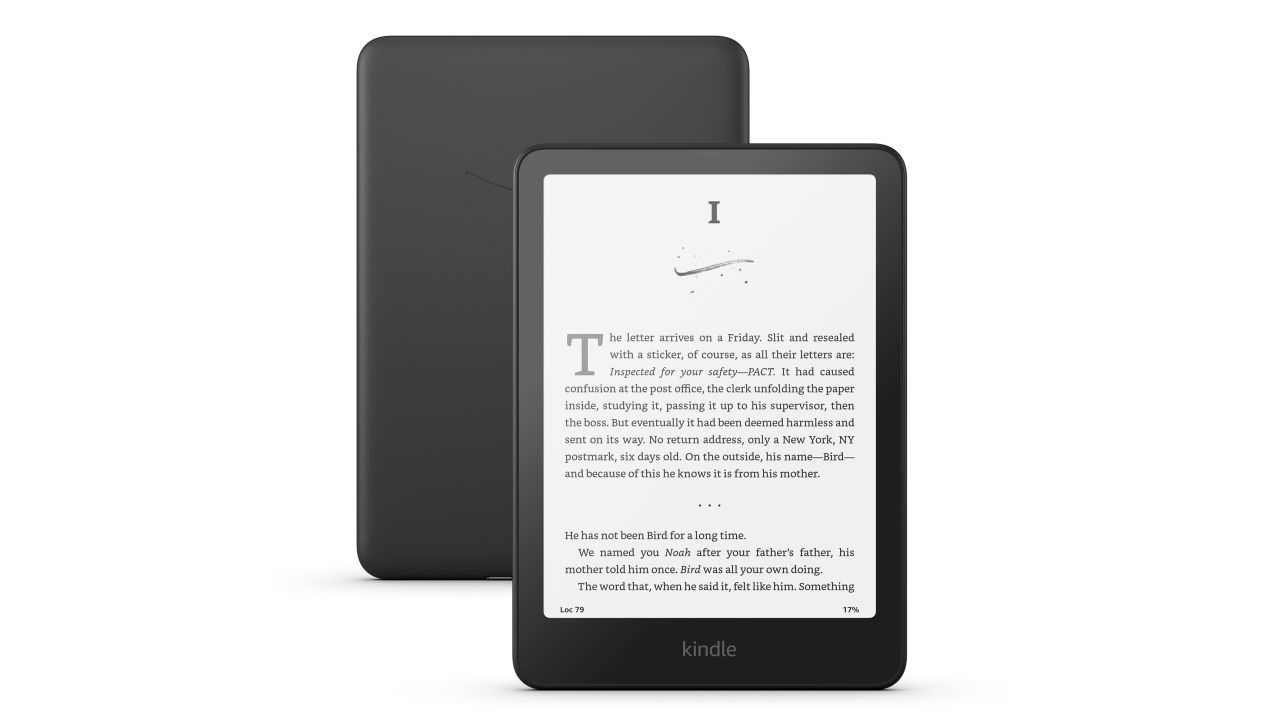
Amazon Kindle Paperwhite (2024)
Pros
- 7-inch screen — larger reading area
- 17 LEDs for even frontlighting
- Adjustable warm/cool color temperature
- Page turns feel snappier
- Sharper text rendering
Cons
- No color — book covers are grayscale
- Locked to Amazon ecosystem
- Ads on base model
- Can't sideload ePub without conversion
The Kindle Paperwhite has a 7-inch screen versus the Kobo Clara's 6 inches. That extra inch means more text per page, fewer page turns, and a more comfortable reading experience for my eyes. Text rendering is slightly sharper on the Kindle — Amazon has spent years optimizing font rendering for their e-ink displays.
The frontlight uses 17 LEDs with adjustable warm-to-cool temperature. In practice, it's more evenly lit than the Kobo, with no noticeable dark spots along the edges.
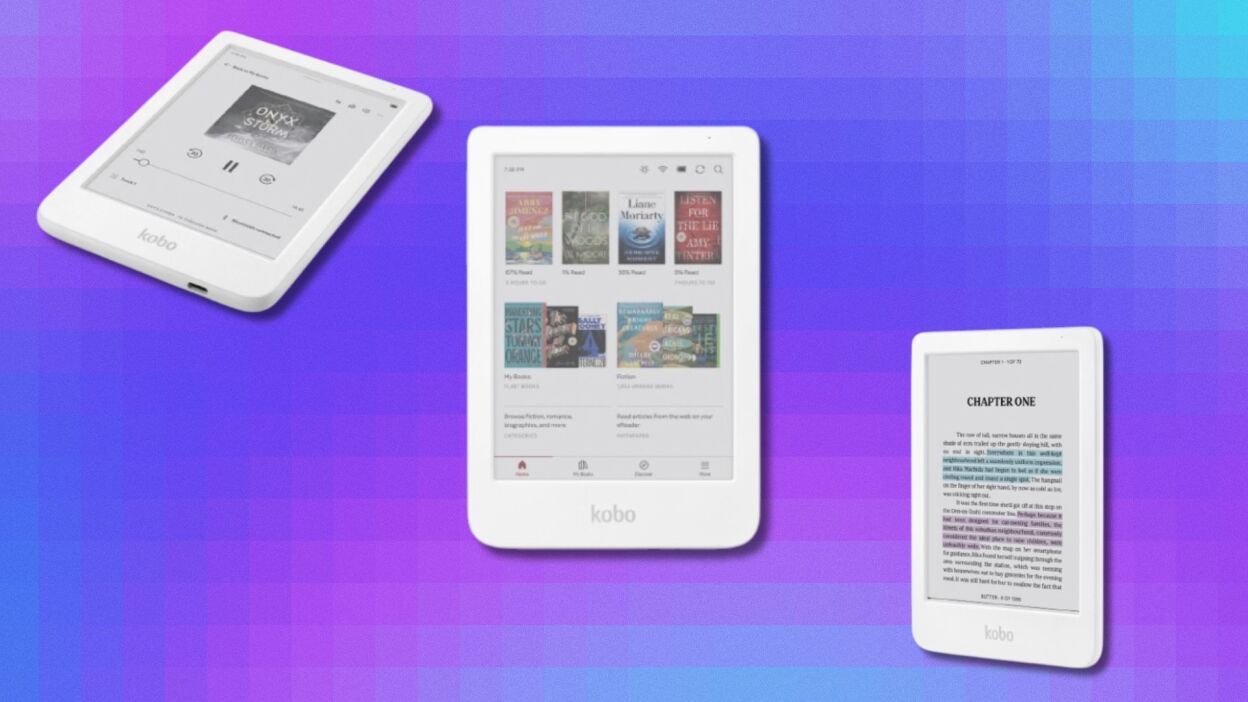
Kobo Clara Colour
Pros
- Color e-ink shows book covers and comics in color
- OverDrive integration for library books
- Sideload ePub and other formats natively
- No ads — ever
- Lighter at 174g
Cons
- 6-inch screen is smaller
- Colors are muted — don't expect iPad quality
- Page turns slightly slower
- 12 LEDs — less even frontlighting
The Kobo Clara Colour's big differentiator is right in the name: color e-ink. Book covers display in color, graphic novels show their intended palette, and children's books look better. The colors are muted compared to a backlit display — think watercolor rather than vivid — but it's a nice addition for visual content.
The 6-inch screen is noticeably smaller than the Paperwhite's 7 inches. For text-heavy reading, the difference is felt in more frequent page turns. For comics and graphic novels, the smaller screen is a real limitation.
Ecosystem and book selection
This is where the decision usually gets made.
Kindle ties you to Amazon. Your books live in Amazon's cloud, and you can't easily transfer them to another platform. Amazon's store has the widest selection — virtually every ebook published is available, often at competitive prices. Kindle Unlimited ($12/month) offers a rotating library of about 4 million titles.
Kobo uses the Kobo Store (run by Rakuten) and natively supports ePub files. The store has a solid selection but slightly fewer titles than Amazon, and prices can run a dollar or two higher. The real advantage is openness — sideload DRM-free ePubs from any source, and they just work.
Library integration
This is Kobo's trump card. Built-in OverDrive means you can browse and borrow library books directly on the device. Search your library, tap borrow, and the book appears in your reading list. When it expires, it disappears. No extra apps, no transfers, no fuss.
Kindle supports library books through Libby, but the workflow is clunkier. You find the book in the Libby app on your phone, send it to your Kindle, and it shows up. It works, but it's not as seamless as Kobo's built-in integration.
If you're a heavy library user — and you should be, library ebooks are free — Kobo wins this category convincingly.
Reading features
Kindle advantages: X-Ray (character descriptions and term definitions), Vocabulary Builder (saves words you look up), Whispersync (sync position between Kindle and Audible), Send-to-Kindle for personal documents.
Kobo advantages: Built-in Pocket integration (save web articles to read on the device), more font customization options, OverDrive, natural CBZ/CBR comic book support.
For pure reading features, Kindle has the edge. X-Ray alone is worth it for complex novels with large casts. But Kobo's library integration and format flexibility are practical advantages that matter daily.
Battery life
Kindle claims up to 12 weeks; I got about 4 weeks with an hour of daily reading and WiFi on. Kobo claims about 6 weeks; I got about 3 weeks under the same conditions. The color display likely explains Kobo's slightly shorter battery life.
Both are excellent. You're charging monthly, not daily.
Build quality
Both feel good in hand. The Kindle is slightly heavier at 205g (the larger screen adds weight) but the soft-touch back provides good grip. The Kobo is lighter at 174g and feels more compact. Neither feels cheap.
Both are IPX8 waterproof — submersible in fresh water up to 2 meters for an hour. I've read in the bath with both without worry.
The verdict
Get the Kindle Paperwhite if: You want the best reading experience (bigger screen, snappier UI), you already buy from Amazon, and you don't care about color or library integration.
Get the Kobo Clara Colour if: You borrow library books, you want color for covers and comics, you sideload ePubs, or you prefer an ad-free, no-subscription experience.
At $150 each, you're not making a bad choice either way. I own both and reach for the Kindle for novels and the Kobo for library books and graphic novels.
As an Amazon Associate, we earn from qualifying purchases. This doesn't affect our recommendations or editorial independence.