MacBook Air M4 vs MacBook Pro M4
A thorough comparison of the MacBook Air M4 and MacBook Pro M4. We break down performance, display, battery life, and value to help you pick the right one.
Apple now sells two laptops with the M4 chip that look alike from across a room, cost $500 apart, and confuse nearly everyone trying to decide between them. I've had both the MacBook Air M4 13-inch and the MacBook Pro M4 14-inch on my desk for the past month. Same chip name. Very different machines.
The short version? Most people should buy the Air. But "most people" is doing a lot of heavy lifting in that sentence, and there are real, concrete reasons the Pro earns its price tag for certain buyers. Let me walk through where these two actually diverge.
The specs at a glance
| Spec | MacBook Air M4 | MacBook Pro M4 |
|---|---|---|
| Starting Price | $1,099 | $1,599 |
| Chip | M4 | M4 / M4 Pro / M4 Max |
| Display | 13.6" Liquid Retina | 14.2" Liquid Retina XDR |
| Brightness | 500 nits | 1,000 nits (SDR) / 1,600 nits (HDR) |
| RAM | 16GB | 16GB (M4) / 24GB (M4 Pro) |
| Weight | 2.7 lbs | 3.4 lbs |
| Battery | Up to 18 hours | Up to 24 hours |
| Ports | 2x Thunderbolt 4, MagSafe, headphone jack | 3x Thunderbolt 4, HDMI, SD card, MagSafe, headphone jack |
| Speakers | 4-speaker system | 6-speaker system with spatial audio |
| Fan | Fanless | Active cooling |
Design and build
Both laptops are made from recycled aluminum and feel premium in your hands. That part is identical. The differences show up when you actually use them.
The Air is 2.7 pounds. The Pro is 3.4 pounds. That gap sounds small on paper. In a backpack you carry every day, it is not small. The Air disappears into a bag. The Pro is always slightly there, reminding you it exists. I notice it most at the end of a long day walking around a city with my backpack.
The Air's wedge-shaped profile is thinner at the front edge, which makes it feel even lighter than it is. The Pro has a uniform thickness and a slightly larger footprint because of the 14.2-inch screen. Both have great build quality. Neither flexes, creaks, or feels cheap.
Color options matter to some people, and Apple gave the Air an edge here. The Sky Blue finish is genuinely nice and something you can't get on the Pro. The Pro comes in Space Black and Silver. The Air gets Midnight, Starlight, Silver, and that Sky Blue.
One thing I'll mention because it surprised me: the Pro runs warm less often than I expected, but it does get warm under sustained workloads. The Air never gets warm because the M4 throttles before it reaches that point. There is no fan to spin up. Total silence, always. Some people love this. I love this.
Display
This is where the $500 gap starts making sense.
The MacBook Air has a 13.6-inch Liquid Retina display at 500 nits brightness. It is a good screen. Colors are accurate, text is sharp, and for everyday work it does everything you need. I wrote articles, edited photos in Lightroom, watched movies on it. No complaints.
The MacBook Pro has a 14.2-inch Liquid Retina XDR display. It goes to 1,000 nits sustained brightness in SDR and 1,600 nits peak for HDR content. It has ProMotion, which means adaptive refresh up to 120Hz. And it has real HDR support with mini-LED backlighting that produces deep blacks and bright highlights simultaneously.
Put them side by side in a bright room, and the Pro's screen is obviously better. The 120Hz refresh makes scrolling through code, documents, and websites feel smoother. The extra brightness means you can actually see the screen clearly outdoors. And the HDR capability makes movies and photo editing look noticeably better.
But here is the honest truth: if you never put them side by side, the Air's screen won't disappoint you. It is a perfectly good display for writing, browsing, and even casual photo editing. You only feel like you're missing something once you've seen the XDR panel. Which is maybe an argument for never looking at the Pro.
Performance
Both machines use the M4 chip in their base configurations, which means identical CPU and GPU performance on paper. The base M4 has a 10-core CPU and a 10-core GPU. In Geekbench 6, both hit around 3,800 single-core and 15,200 multi-core. For the vast majority of tasks, they feel exactly the same.
The difference is sustained performance. The Air is fanless. When you push it hard for more than 10-15 minutes -- rendering a long video, compiling a large project, running demanding games -- the chip throttles down to manage heat. I measured about a 15-20% performance drop during sustained multi-core workloads compared to the Pro running the same task.
The Pro has active cooling. A fan kicks in when needed (quietly, to its credit), and the M4 maintains its peak performance as long as you need it to. For a 30-second burst of work, the Air matches the Pro. For a 30-minute render, the Pro pulls ahead.
Does this matter for you? If you're a student, a writer, a business user, or someone who mostly works in a browser with some light photo editing, you will never hit the Air's thermal limits. You won't even come close. The throttling only shows up in sustained, heavy workloads.
If you're a developer compiling large codebases, someone who exports lots of video in Final Cut Pro, or a photographer batch-processing hundreds of RAW files, the sustained performance of the Pro matters. And if you need even more power, the Pro gives you the option to step up to the M4 Pro or M4 Max chips, which the Air simply cannot offer.
One more performance note: both models start with 16GB of unified memory. That is enough for most workflows. But the Pro can be configured with the M4 Pro chip and 24GB or more, which makes a real difference when running multiple development environments, virtual machines, or working with large media files.
Battery life
Apple rates the Air at up to 18 hours and the Pro at up to 24 hours. In my testing, those numbers are surprisingly close to reality, at least for the workloads Apple measures (local video playback).
For my actual usage -- writing in a text editor, browsing with 15-25 tabs open, Slack running, Spotify streaming, occasional Lightroom work -- I got about 12-14 hours from the Air and 15-17 hours from the Pro. Both are outstanding. Both will last a full workday without a charger.
The Pro's battery advantage comes from its physically larger battery (72.4Wh vs 52.6Wh). The M4 chip is equally efficient in both machines, but the Pro just has more battery to draw from. If you regularly work 10+ hour days away from an outlet, the Pro's extra hours of battery could matter. For everyone else, the Air's battery life is more than sufficient.
Both support MagSafe charging and USB-C charging. The Pro charges slightly faster because it comes with a higher-wattage adapter in the box.
Who should get the Air
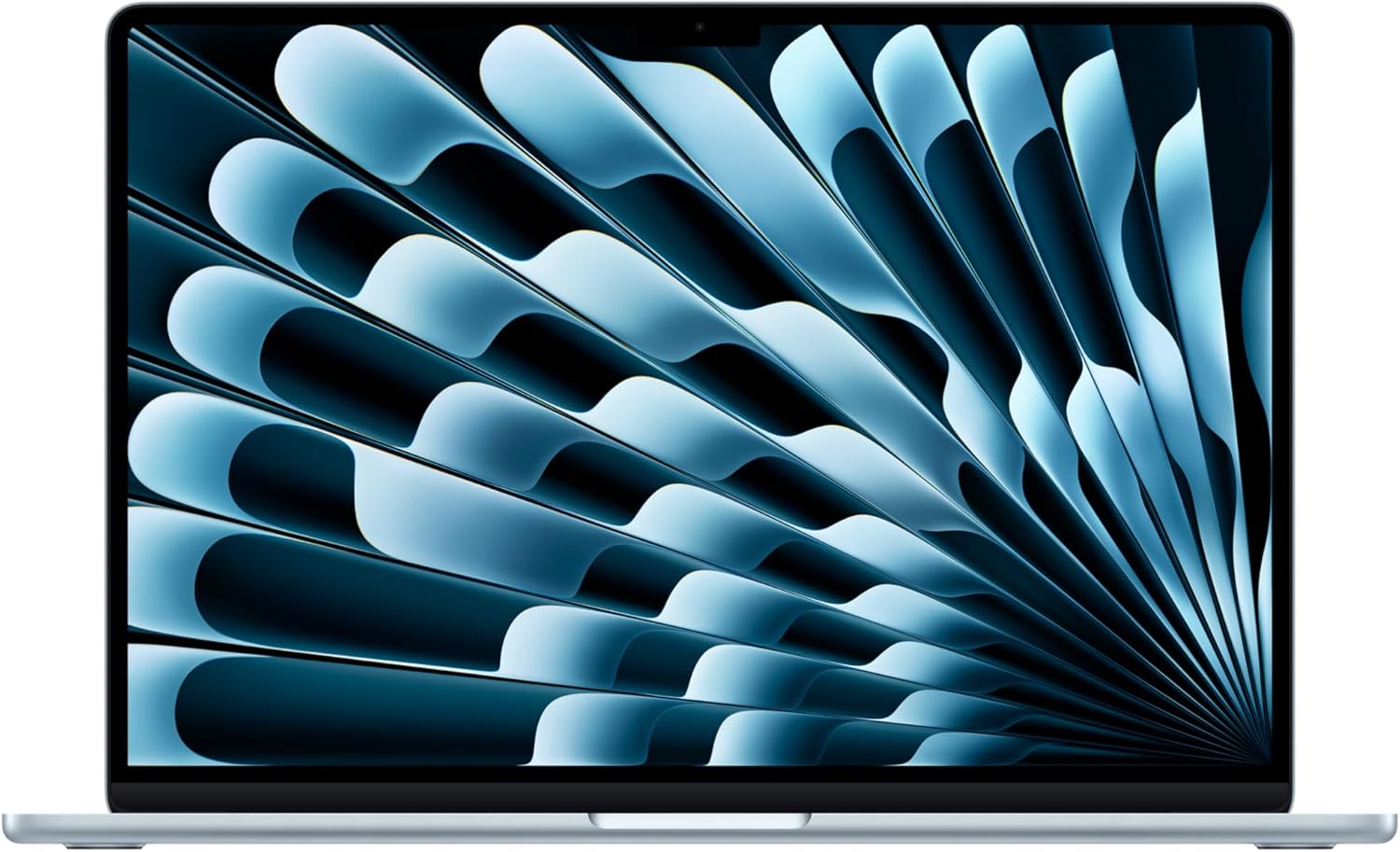
MacBook Air M4 13-inch
Pros
- Best performance-per-dollar in any Mac
- Fanless design means zero noise
- 2.7 lbs is genuinely light for an all-day carry
- 18 hours of battery handles a full day
- Sky Blue color option is unique to the Air
Cons
- 500 nit display is noticeably dimmer than the Pro
- Throttles during sustained heavy workloads
- Only two Thunderbolt ports
- No HDMI or SD card slot
- 60Hz display feels dated after using 120Hz
The Air is the right Mac for college students, writers, anyone who works primarily in a browser, people who do light creative work, and business users who need a reliable, portable machine. That covers something like 80% of laptop buyers.
Here is what I keep coming back to: the Air costs $500 less and gives you the same chip. For everyday computing, you will not feel a performance difference. The screen is smaller and dimmer, but it is still a good screen. The battery lasts a full workday. The build quality is identical. And it is lighter.
The lack of a fan is a feature, not a compromise. I worked in quiet libraries and coffee shops for weeks without the machine making a single sound. When I switched back to the Pro for comparison, the fan spun up during a Zoom call with screen sharing. It was quiet, but it was there.
If you are buying a MacBook for the first time, or upgrading from an older Air or a non-Apple laptop, start here. You can put that $500 toward AppleCare, an external display, or just keep it.
Who should get the Pro
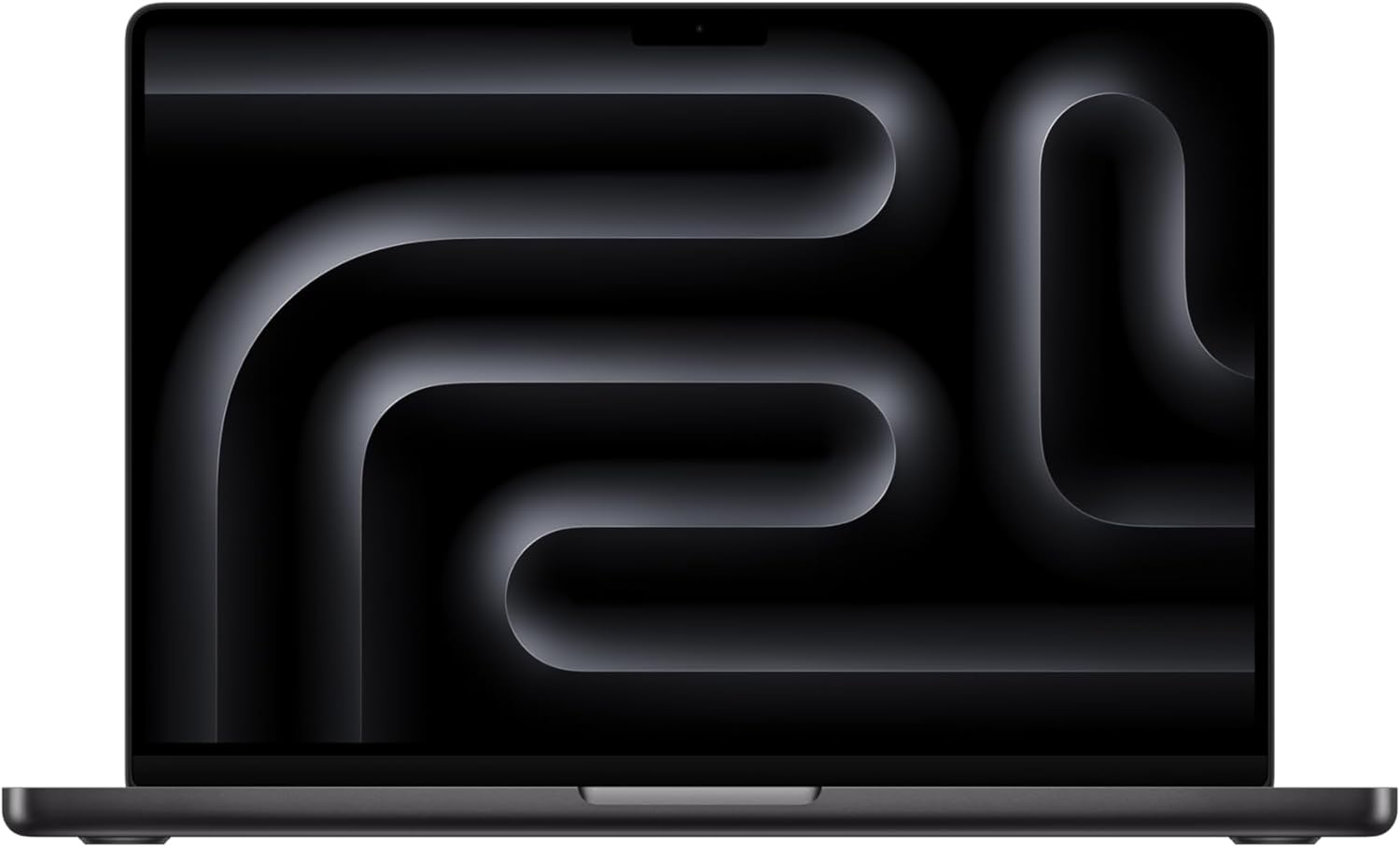
MacBook Pro M4 14-inch
Pros
- Liquid Retina XDR display with 120Hz ProMotion
- Sustained performance with active cooling
- Up to 24 hours of battery life
- Three Thunderbolt 4 ports plus HDMI and SD card
- 6-speaker system sounds remarkably good
- Upgrade path to M4 Pro or M4 Max
Cons
- $1,599 starting price for the base M4 model
- 3.4 lbs is heavier than it sounds day-to-day
- Base model still has just 16GB RAM
- Only comes in Space Black and Silver
- The M4 Pro configuration jumps to $1,999
The Pro earns its price in specific scenarios, and I want to be specific about what those are.
If you do professional video editing in Final Cut Pro or DaVinci Resolve and export projects regularly, the sustained performance matters. The Air will get the job done, but the Pro finishes faster and doesn't throttle during long exports.
If you're a software developer working with large codebases, running Docker containers, or compiling projects in Xcode, the active cooling and the option to configure 24GB+ RAM with an M4 Pro chip make a real difference. I compile a medium-sized Swift project in Xcode, and the Pro saves me about 20 seconds per build compared to the Air once thermal throttling kicks in. Over the course of a day with dozens of builds, that adds up.
If you care about display quality for color-critical work, the XDR panel is in a different class. The extra brightness, HDR support, and ProMotion make it noticeably better for photo editing, color grading, and design work. I calibrated both screens and used them for photo editing in Lightroom. The Pro's display showed highlight detail and shadow depth that the Air simply couldn't reproduce.
If you need ports, the Pro wins outright. Three Thunderbolt 4 ports, HDMI, and an SD card slot mean you can plug in an external display, a camera card, and a drive without carrying any dongles. The Air's two Thunderbolt ports run out fast if you're using a desktop setup.
And the speakers. I hesitate to spend words on laptop speakers because most people use headphones. But the Pro's six-speaker system with spatial audio is genuinely impressive. Movies, music, and video calls sound noticeably richer than the Air's four-speaker setup. If you watch a lot of content without headphones, you will appreciate this.
The bottom line
Buy the MacBook Air M4 unless you have a specific, concrete reason to spend the extra $500 on the Pro.
Not a vague reason. Not "I might need it someday." A specific workflow where the Pro's sustained performance, brighter display, extra ports, or upgrade path to M4 Pro actually changes your daily experience. If you can point to that workflow, the Pro is worth every penny. If you're trying to talk yourself into it because it has "Pro" in the name, save your money.
I've been going back and forth between these two machines for a month, and the Air is the one I reach for most mornings. It is lighter, silent, and fast enough for everything I do. The Pro comes out when I'm editing a batch of photos for a client or exporting video. That happens maybe twice a week.
For the other five days, the Air is the better laptop. Not because the Pro is bad. The Pro is great. But the Air gives you 90% of the experience for 69% of the price. That math is hard to argue with.
As an Amazon Associate, we earn from qualifying purchases. This doesn't affect our recommendations or editorial independence.